Help Center • Landlords • Leasing & Screening
Calculate rent and verify tenant income
Pre-fill rent and applicant data to check income-to-rent ratio, prorate move-in costs, and structure late fees.
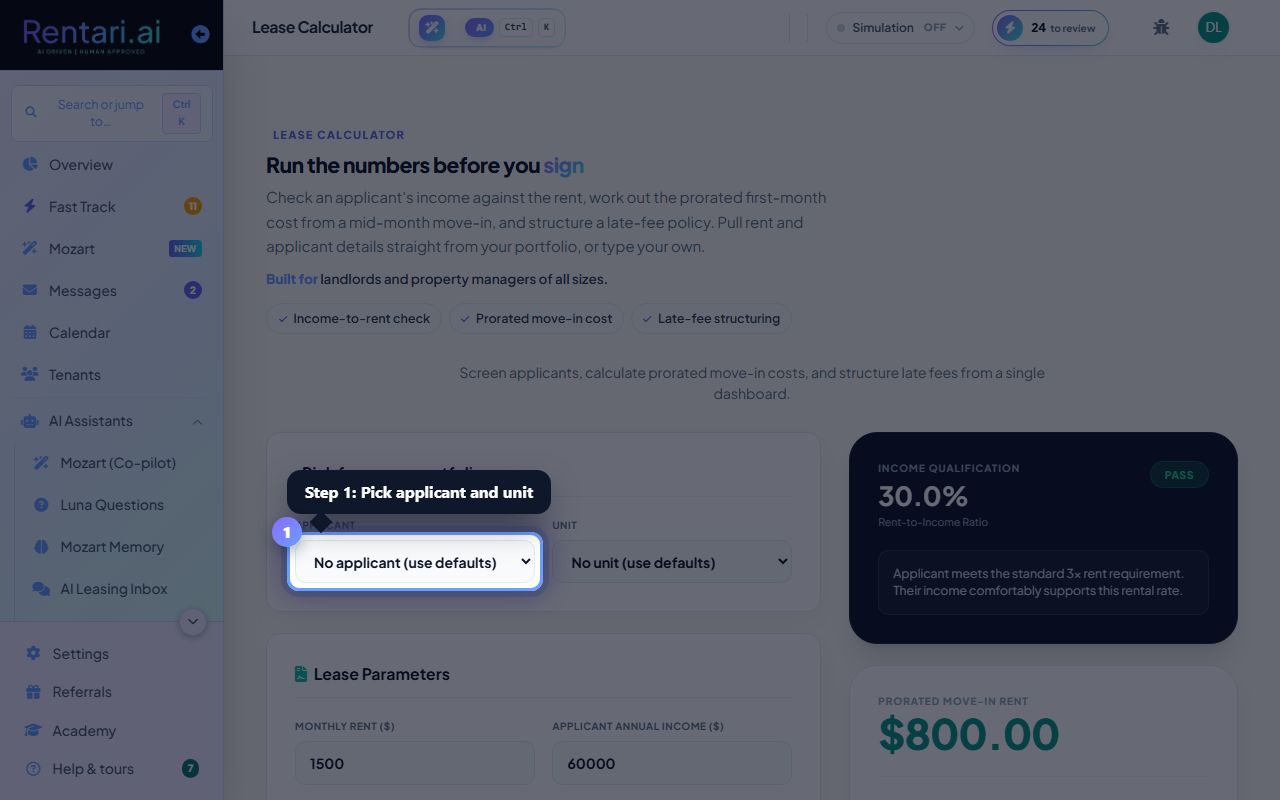
Pick an applicant and unit from your portfolio
Action: At the top left, use the 'Applicant' dropdown to choose someone you've screened. Their email and income auto-fill below. Use the 'Unit' dropdown to pick a property. The monthly rent auto-fills. Leave both blank to enter custom values instead of picking from your portfolio.
If you haven't added units or applicants yet, the dropdowns show links to add them. Once you've set up one property and screened one lead, this tool becomes much faster to use.
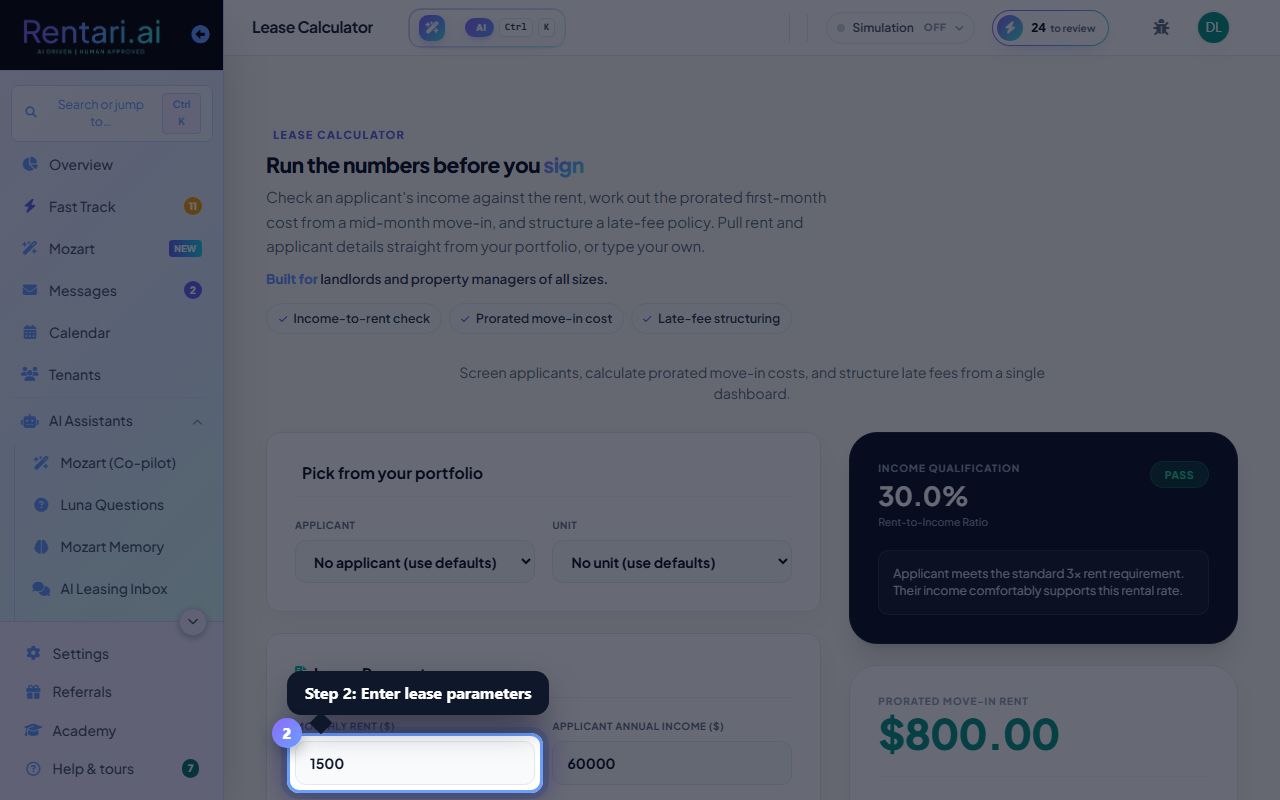
Enter lease parameters and run the income check
Action: Fill in Monthly Rent, Annual Income (or monthly net), and Move-in Date (day of month). The Income Qualification card on the right updates live, showing the rent-to-income ratio and a status badge (green = qualified, yellow = borderline, red = below threshold). A 28/30/31-day selector lets you adjust proration math.
Most landlords use a 30% income-to-rent rule (rent should not exceed 30% of monthly gross income). Adjust your thresholds based on your local market. The calculator suggests late fee structures based on your state's laws.
Draft late-fee clauses with AI
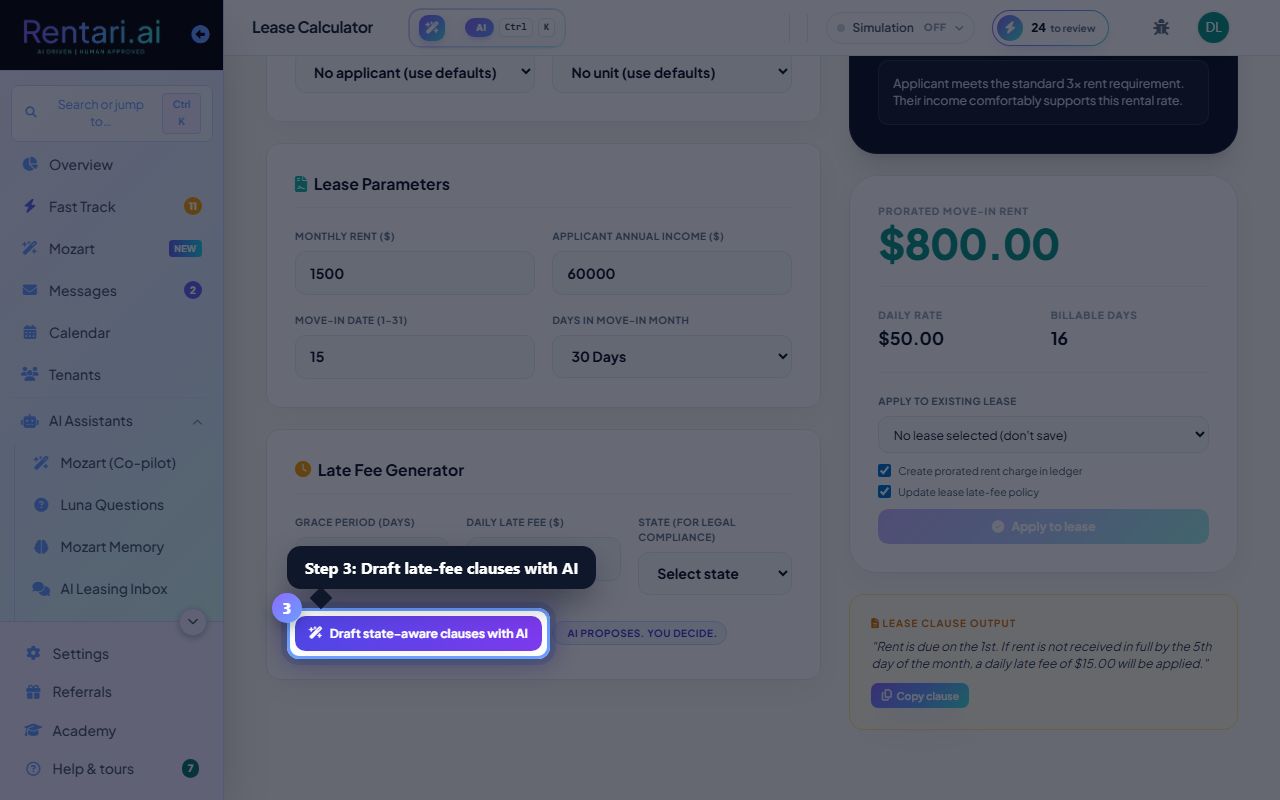
Action: In the 'Late Fee Generator' section, set a Grace Period (days before a late fee kicks in) and the late fee amount. Select your state for legal compliance. Click 'Draft state-aware clauses with AI' to have the AI write language tailored to your state's eviction and late-fee rules. Copy the draft into your lease template.
Late fees vary by state. Some states cap the amount you can charge; others require specific language. The AI proposes compliant clauses, but a lawyer should review before you use them in real leases. Read 'How a late fee is priced' for what a lease actually charges: at most one fee per month after the grace period, trimmed to your state's limit, and never a fee that accrues per day.