Watch one unit go from empty to earning.
Seven steps, and Rentari.ai does the drafting, the chasing and the paperwork at every one of them. It writes the listing, answers the enquiry, reads the maintenance photo and posts the ledger line, then stops and waits for your approval. Here is the whole loop, on the screens and the photos it actually runs on.

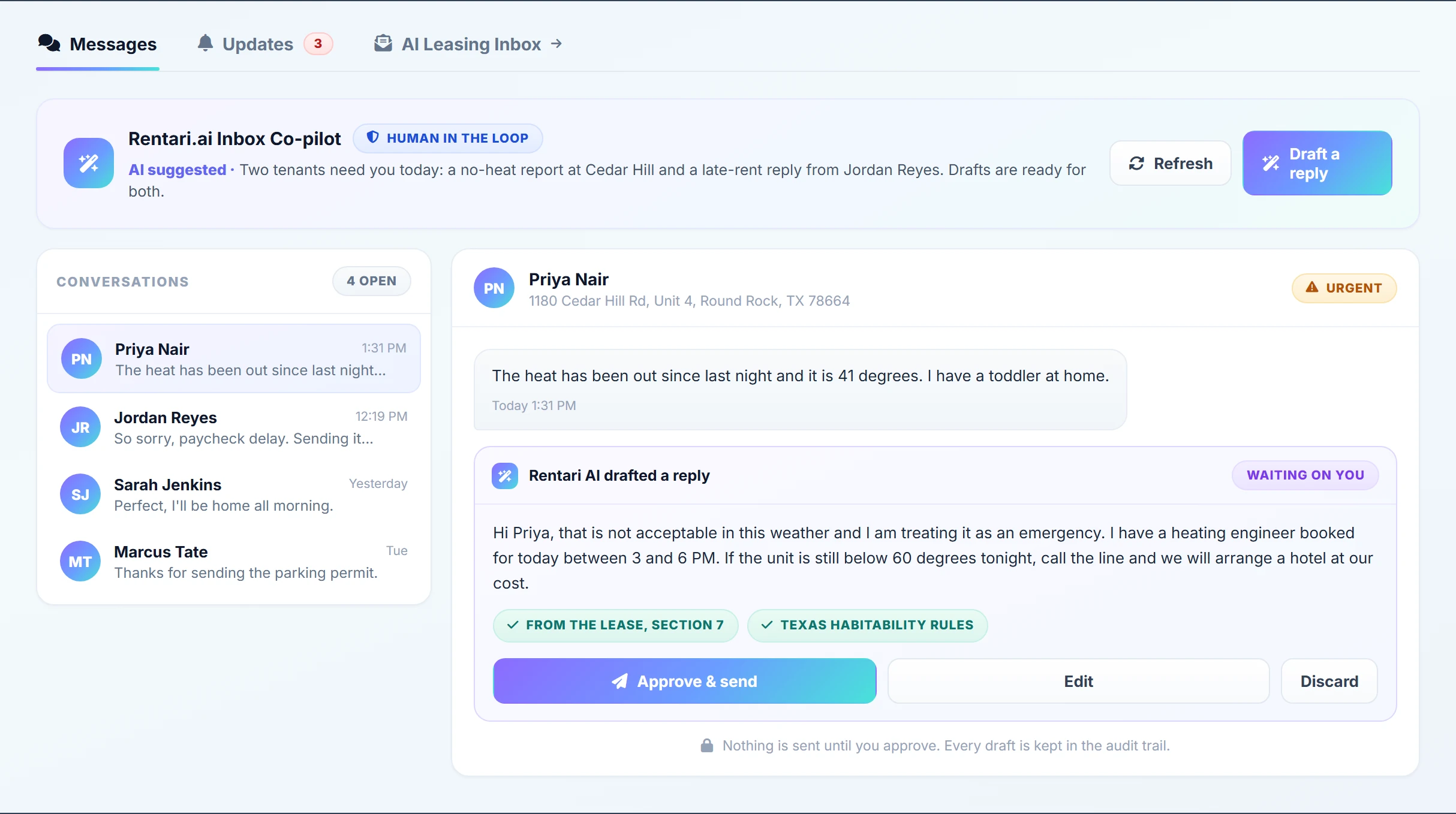
3 things need you today.
The listing writes itself from the unit's own facts.
You add the property once. Beds, baths, square footage, amenities and rent live on the unit record, so Rentari drafts the headline and the description from what is already true about that unit instead of handing you an empty box. Edit any line you disagree with, then publish.

"Renovated 2 bed with an open kitchen and a quiet garden outlook."
Written from the unit record, not a blank box.
The 9pm enquiry does not wait until Monday.
Portal enquiries and email land in one place. Rentari reads each one and answers the question that was actually asked, checks the prospect against the criteria you wrote, and offers a showing slot from your real calendar. On Co-pilot the reply sits in front of you until you send it.
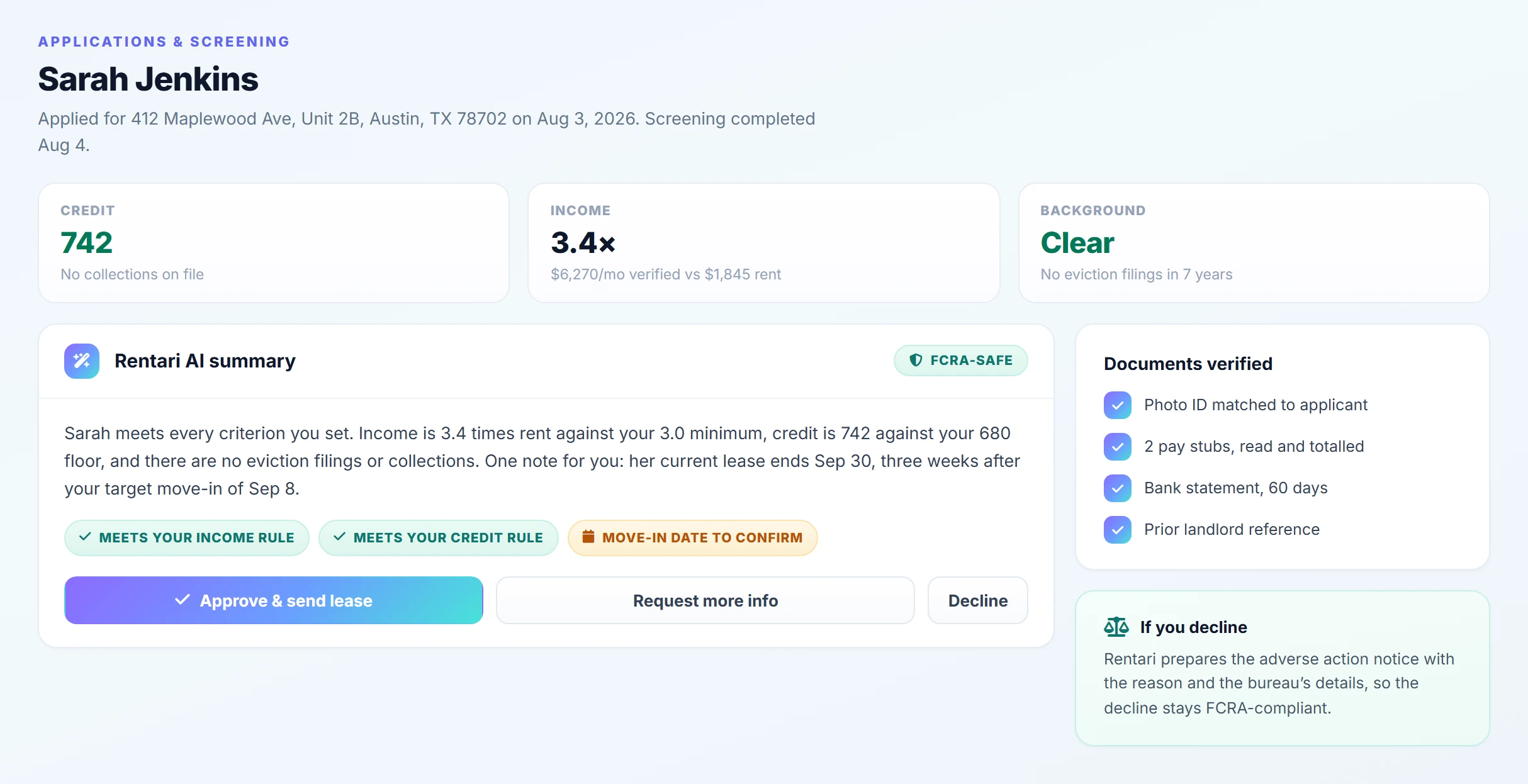
The same written criteria, applied to everyone.
You write your rental criteria once. Credit, eviction history, income and identity come back measured against those criteria, in the same order, for every applicant who applies. Rentari shows you what the reports found and what your own rule says about it. The decision stays yours.
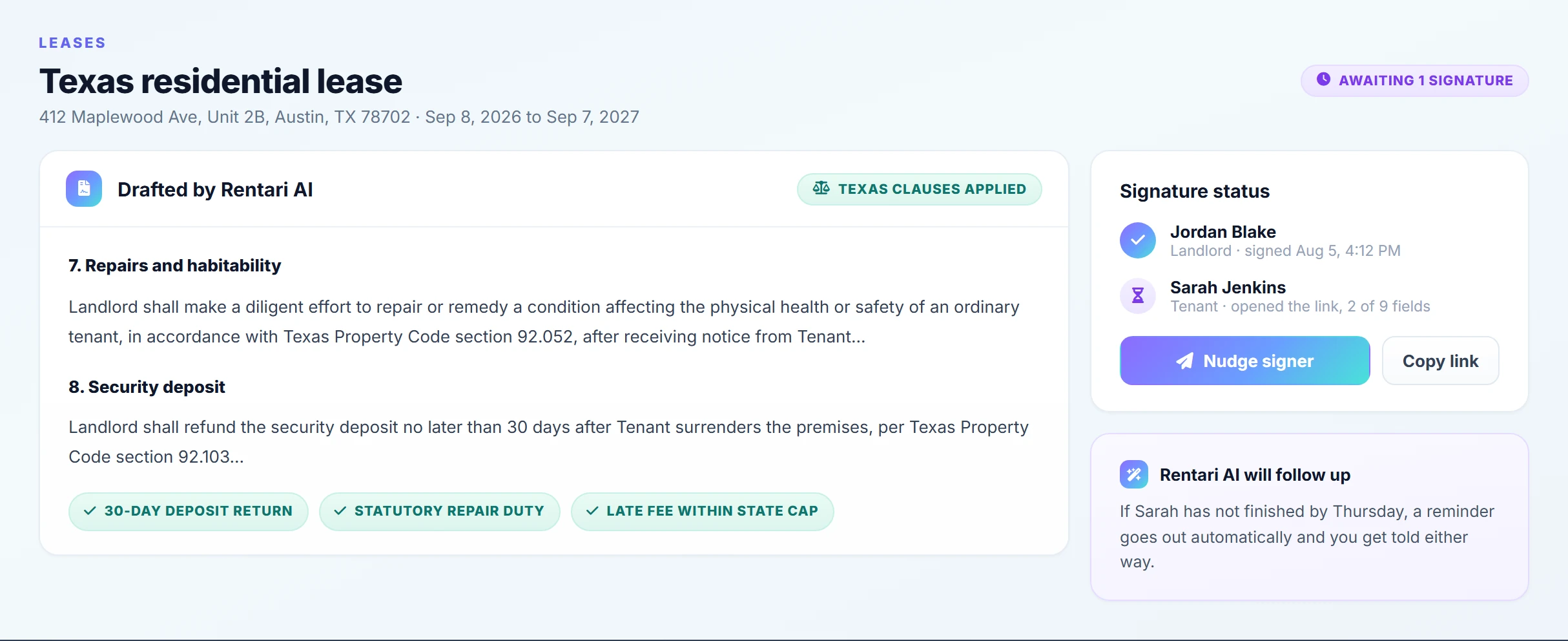
A state-specific lease, signed in the same window.
The lease is built from the property, the unit and the approved applicant, on a template for the state the building is actually in. Signing happens inside Rentari, in order, with an audit trail on the executed copy. There is no per-envelope fee and no third-party signing account for your tenant to create.
Rent arrives without you chasing it.
Rent is scheduled from the day the lease starts. Tenants pay by bank transfer or card, and a pay link works even for a tenant who never creates an account. When someone runs late the reminders go out on the ladder you set, and the late fee is calculated against your state's cap rather than a flat guess.

Rentari looks at the picture.
Your tenant reports the problem from their own portal and attaches a photo off their phone. Drop that photo onto a new ticket and the AI reads the image itself: what it is looking at, how urgent it is, whether there is a safety issue, and roughly what the repair should cost. Every field comes back pre-filled and every field stays editable.

Leaking waste pipe at the joint
Read from the photo. Every field is a suggestion you can change before the ticket saves.
- Category Plumbing
- Urgency High
- Safety Water damage risk
- Cost range $180 to $340
Every payment already landed in the right place.
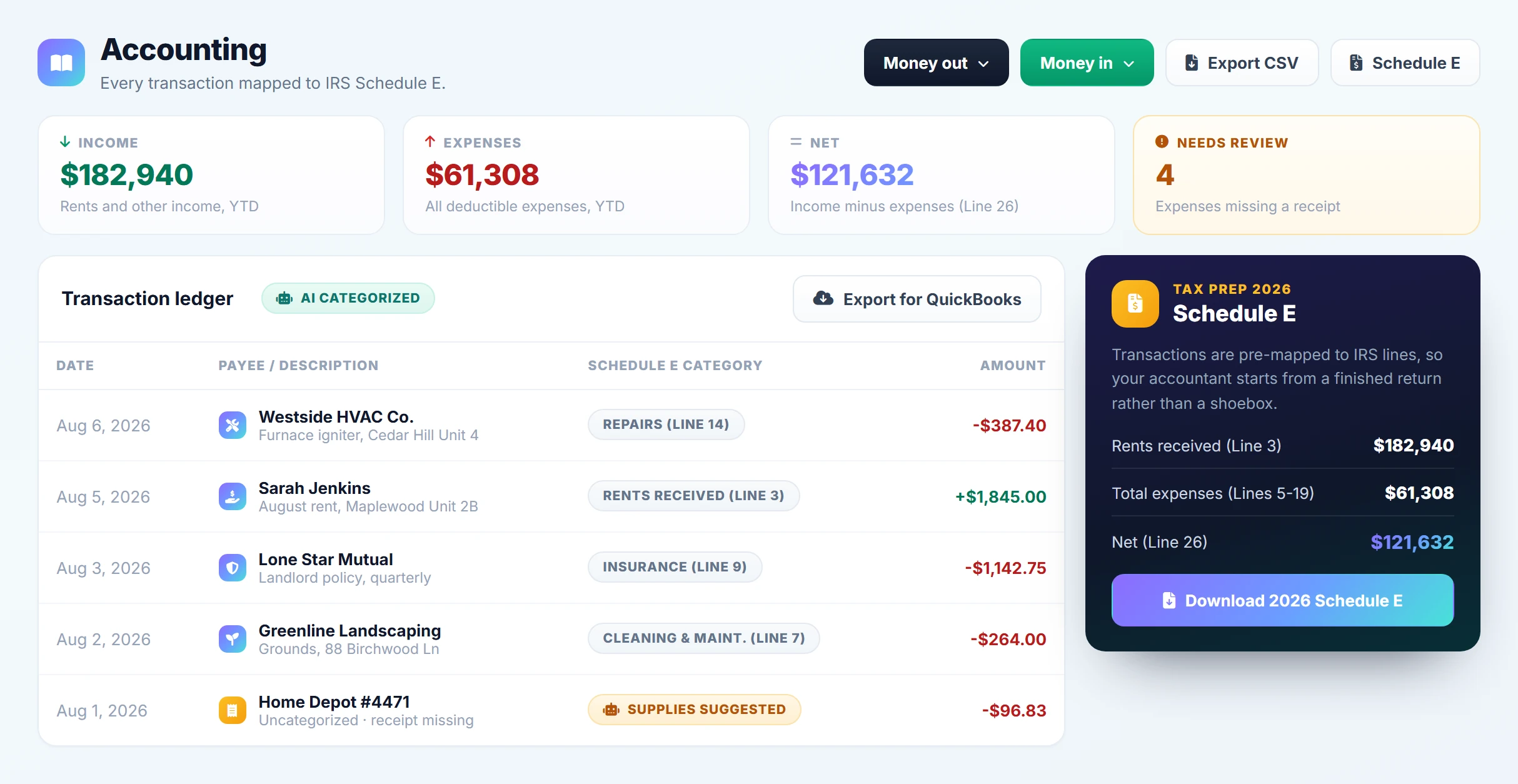
Rent, fees, vendor bills and deposits post to the ledger as they happen, mapped to the Schedule E line they belong on. Nothing waits for a January export. When the year ends the report is already written, and the vendors who went over the threshold have their 1099 ready to go.
Not a better spreadsheet. A different category.
Every platform in this market can store a lease and take a card payment. The question worth asking is what happens in the hours between those two events, and who does that work.
Software that stores
- You write the listing, it saves the listing.
- The enquiry sits unread until you open the tab.
- A maintenance photo is an attachment nobody reads.
- The books get sorted out in January, by you.
Software that acts
- The listing is drafted before you open the page.
- The 9pm enquiry has an answer and a showing slot.
- The photo becomes a triaged ticket with a vendor on it.
- The books are closed on the day the money moved.
It does the work, then asks
The typing is the part it takes off you. Rentari drafts the listing, writes the reply, prepares the notice and posts the ledger line, then puts the finished thing in front of you for one click. You are approving work, not producing it.
You set how much of it runs
Co-pilot proposes and waits for you. Mixed lets the routine things run and escalates the judgment calls. Autopilot runs the loop and still stops at anything with money or law attached. You move the dial whenever you want, and every action is logged either way.
See the three pilot modesIt sees, it does not only read
A maintenance photo becomes a triaged ticket. A receipt becomes a categorised ledger line. A lease gets read against your state's current rules before a tenant ever signs it. A text box is not the only way to tell this system something.
One system, one context
The AI can answer about your portfolio because it can see your portfolio: the units, the leases, the balances, the open tickets, the vendors. That is why it can tell you what needs you today instead of handing you a search result to interpret.
And when you want the answer, you just ask.
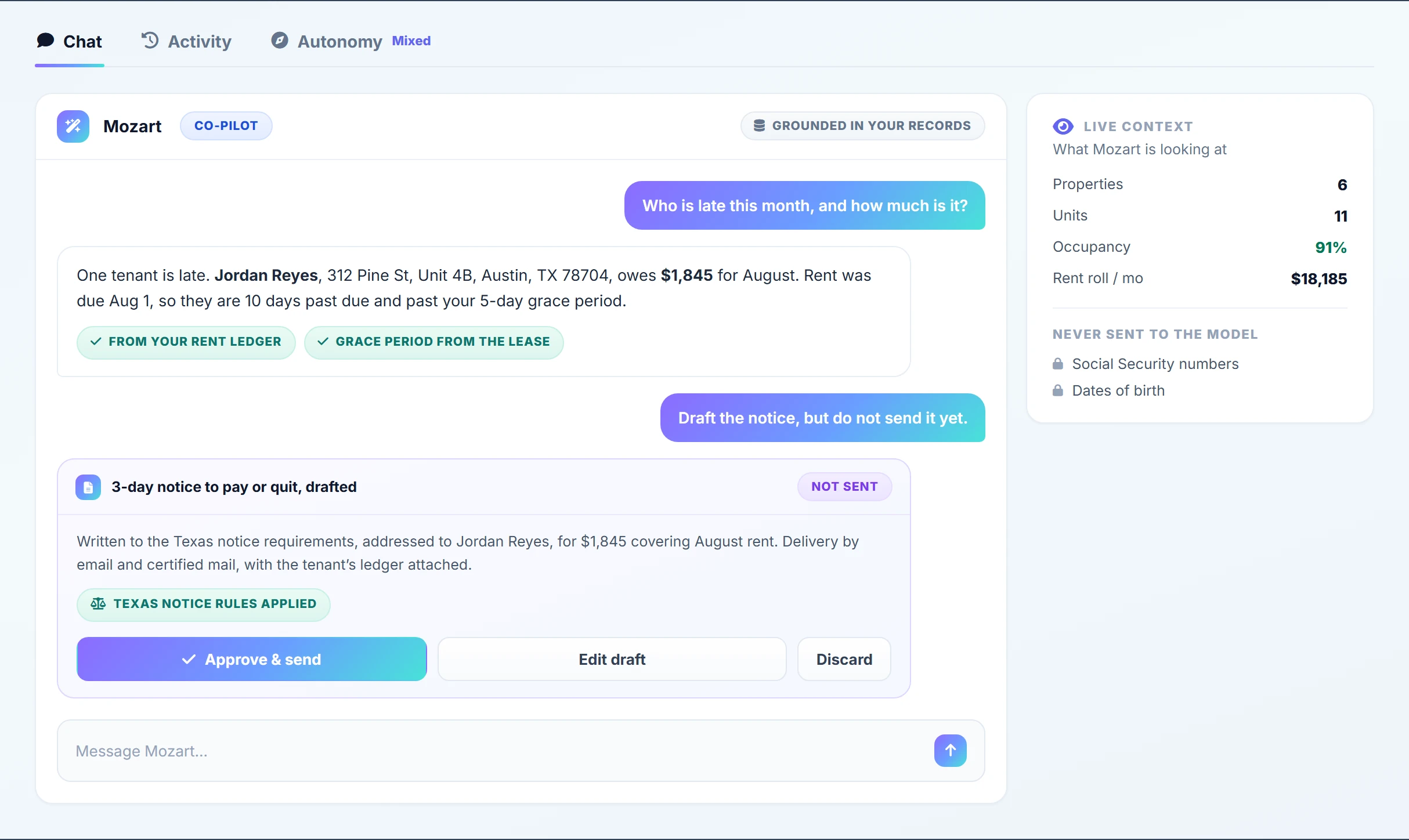
Mozart is the operator sitting on top of all seven steps. It already has the portfolio loaded, so "which units are empty next month" and "who has not paid" are questions, not reports you have to go and build. When the answer needs an action taken, it proposes the action and waits for your yes.
Questions about the process
Does the AI send things without me seeing them?
What happens when the AI gets something wrong?
Is this only worth it for a big portfolio?
How long does it take to get a unit running?
Run the loop on your own unit.
Add one property and watch the first step happen: the listing drafted from the unit's own facts, waiting for you to approve it. The other six work the same way.
You approve every step. Change how much runs on its own whenever you want.