Help Center • Landlords • Maintenance
Manage your vendor directory
Track contractors, collect W-9s, monitor ratings, and stay ready to file 1099s when vendors cross the $600 threshold.
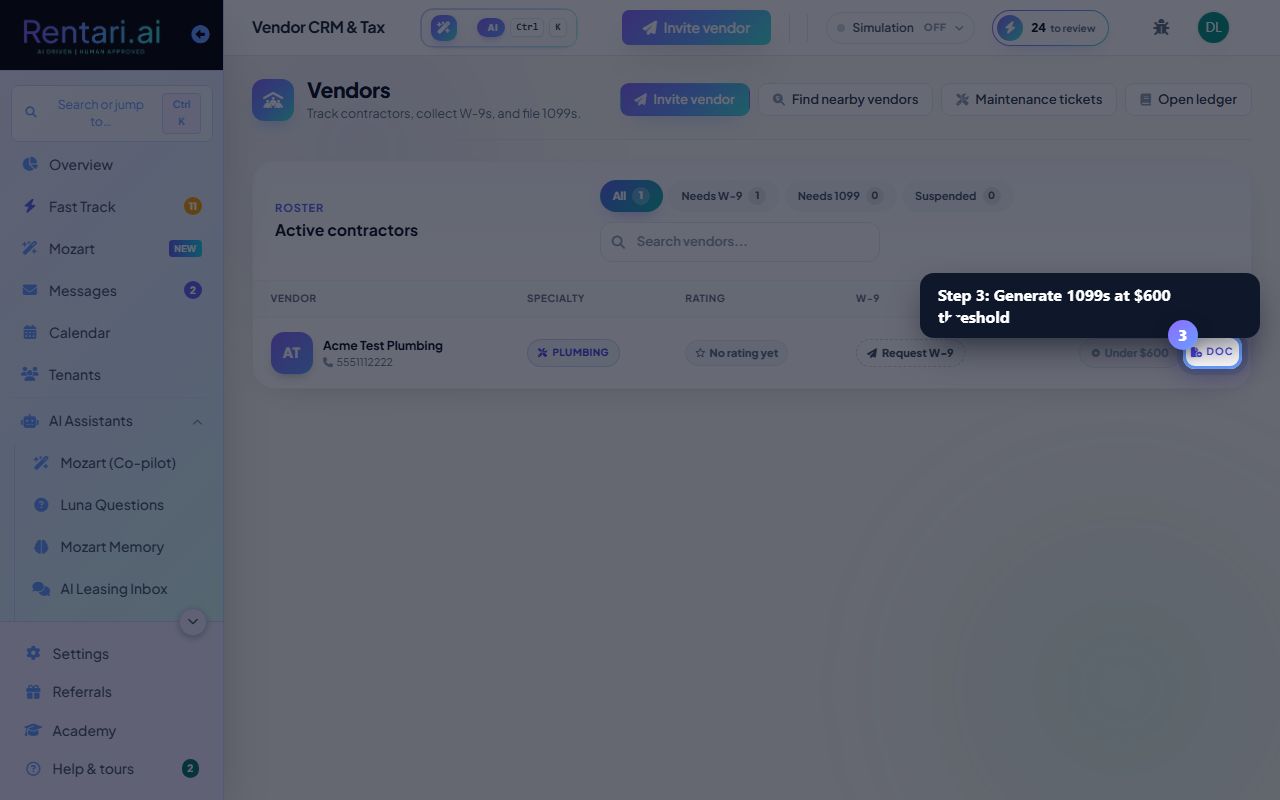
Invite a vendor to your network
Action: Click 'Invite vendor' at the top right. Enter their company name, specialty, phone, and email. Rentari sends them an invite; if they are already on the platform, a connection request is sent instead.
Specialties help you assign the right vendor to a job. General contractors appear for any work type.
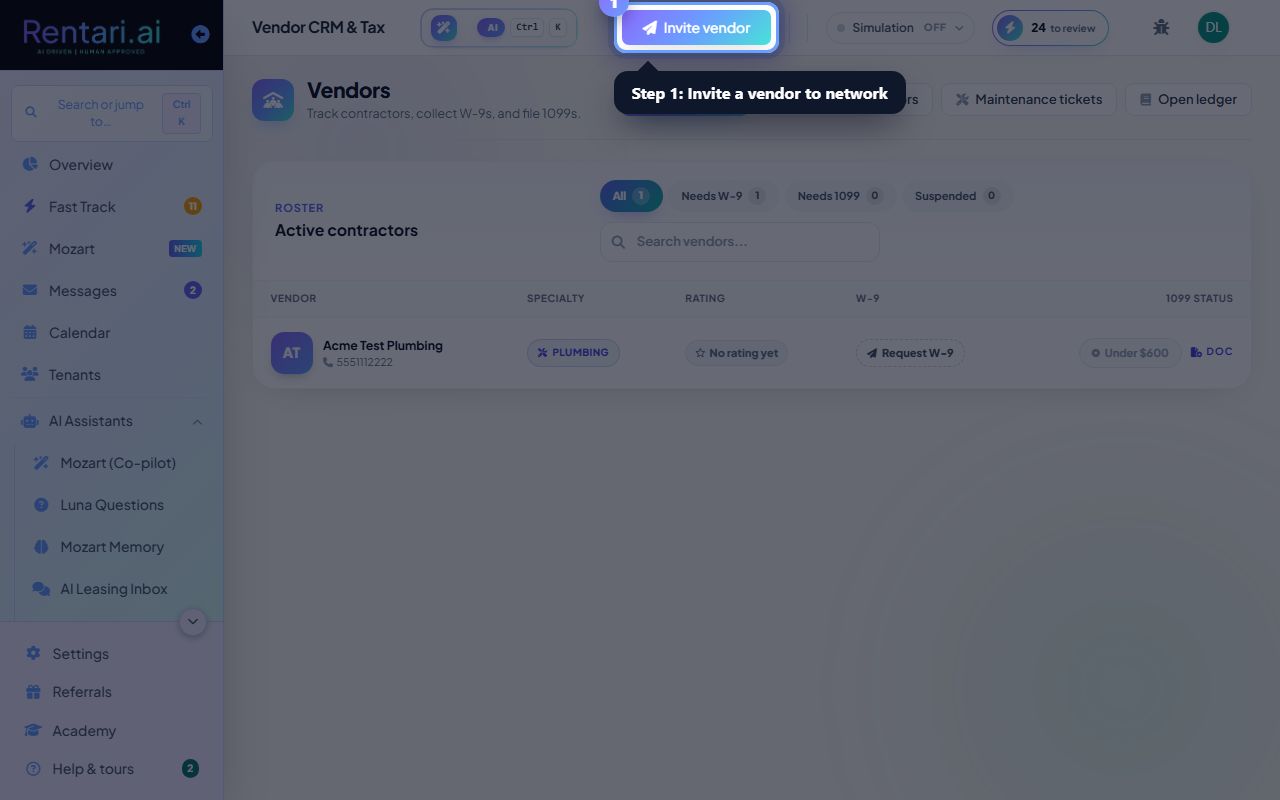
Request and confirm W-9 forms
Action: In the vendor table, click 'Request W-9' for vendors without a W-9 on file. They receive a secure upload link. Once they submit, AI extracts the fields (tax ID, entity type, etc.) and shows them for your review before saving.
W-9s are required for 1099 filing. Vendors who cross $600 in a tax year must have a confirmed W-9 on file.
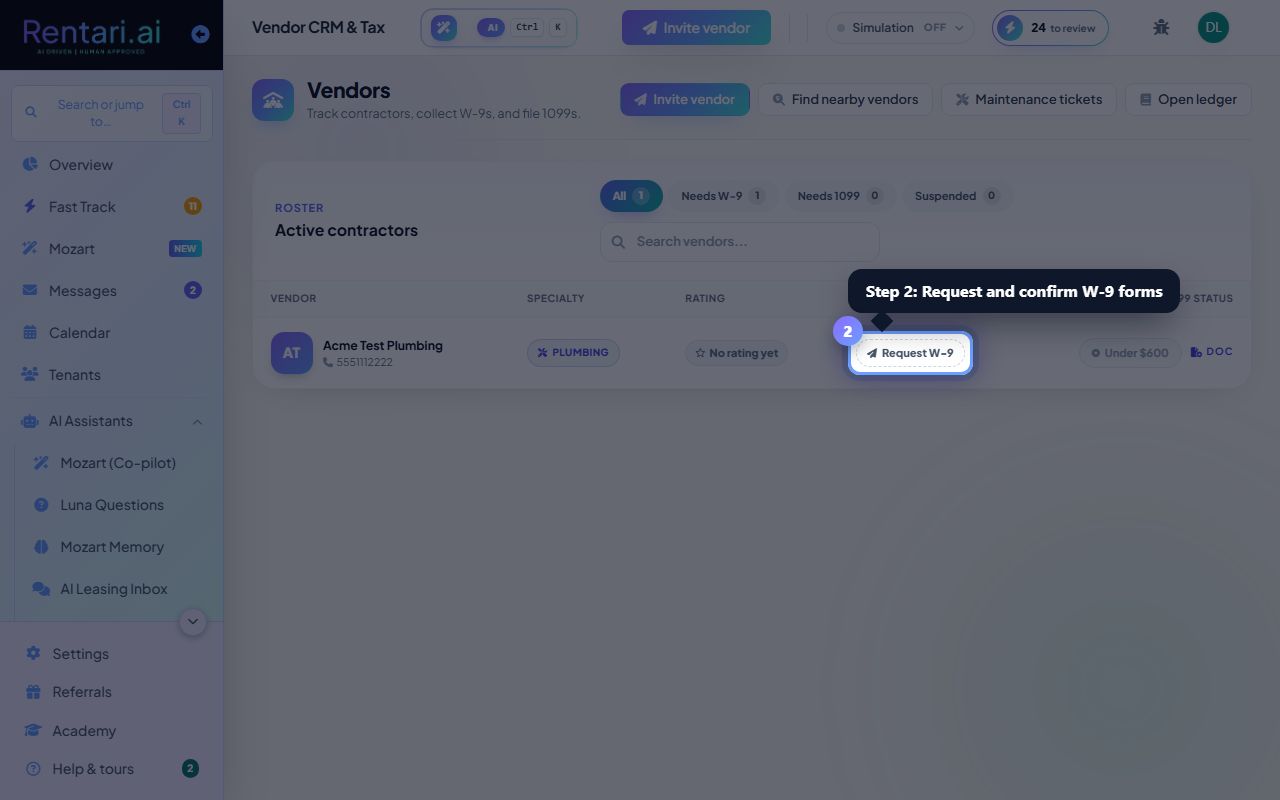
Generate 1099s when vendors cross $600
Action: When a vendor reaches the $600 threshold, they appear in the 'Needs 1099' filter. Click 'Review N 1099 forms' to see each vendor's total. Rentari calculates the 1099-NEC; you or your CPA files it with the IRS.
Rentari drafts the 1099-NEC but does not e-file. You must file the form yourself or provide it to your tax professional.