Help Center • Landlords • Accounting & Reports
Manage trust accounts
View segregated trust accounts for security deposits and prepaid rent, organized by state, with reconciliation and Stripe connection.
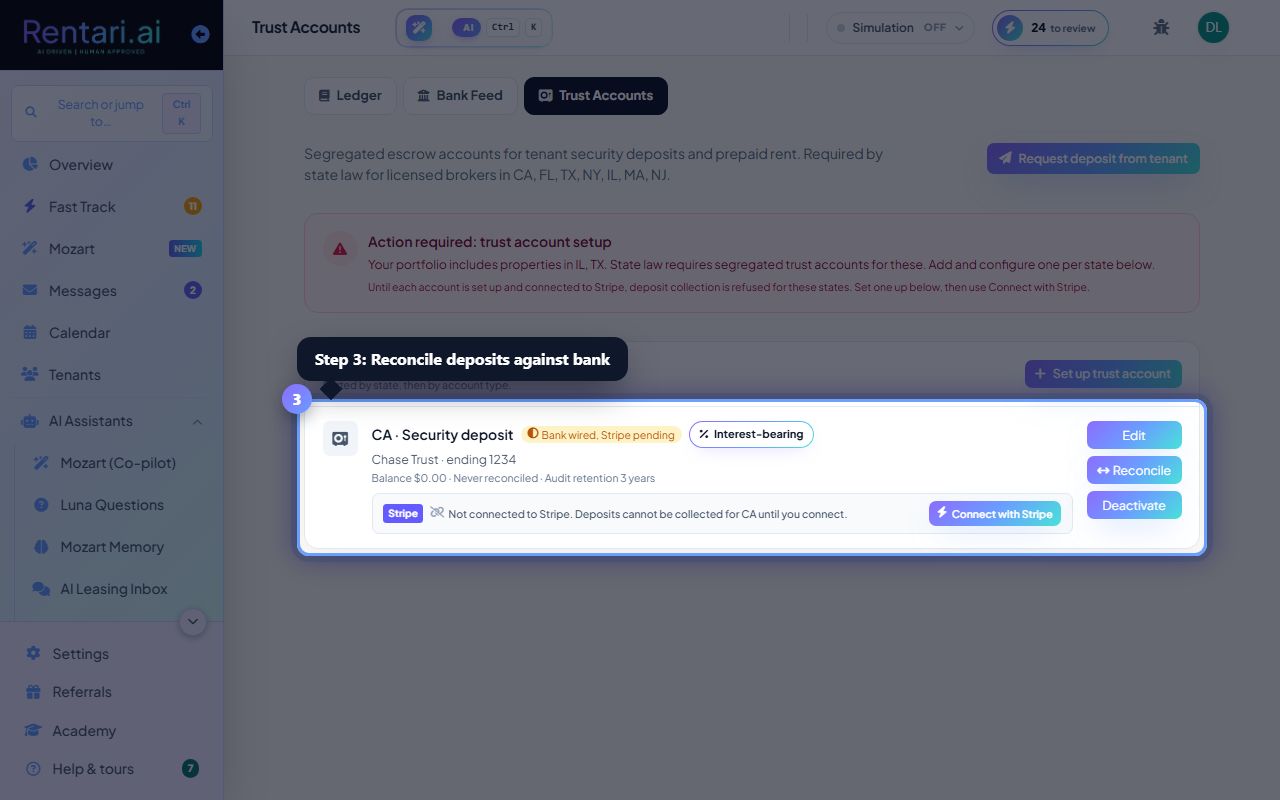
Open your trust accounts page
Action: Navigate to Accounting, then click Trust Accounts. Your accounts appear sorted by state, showing status (Configured or Setup needed), bank details, and current balance.
A Setup needed badge means the account exists but its Stripe connection is incomplete. Finish the connection so deposits collected for that state land in the segregated account.
Connect to Stripe or configure bank details
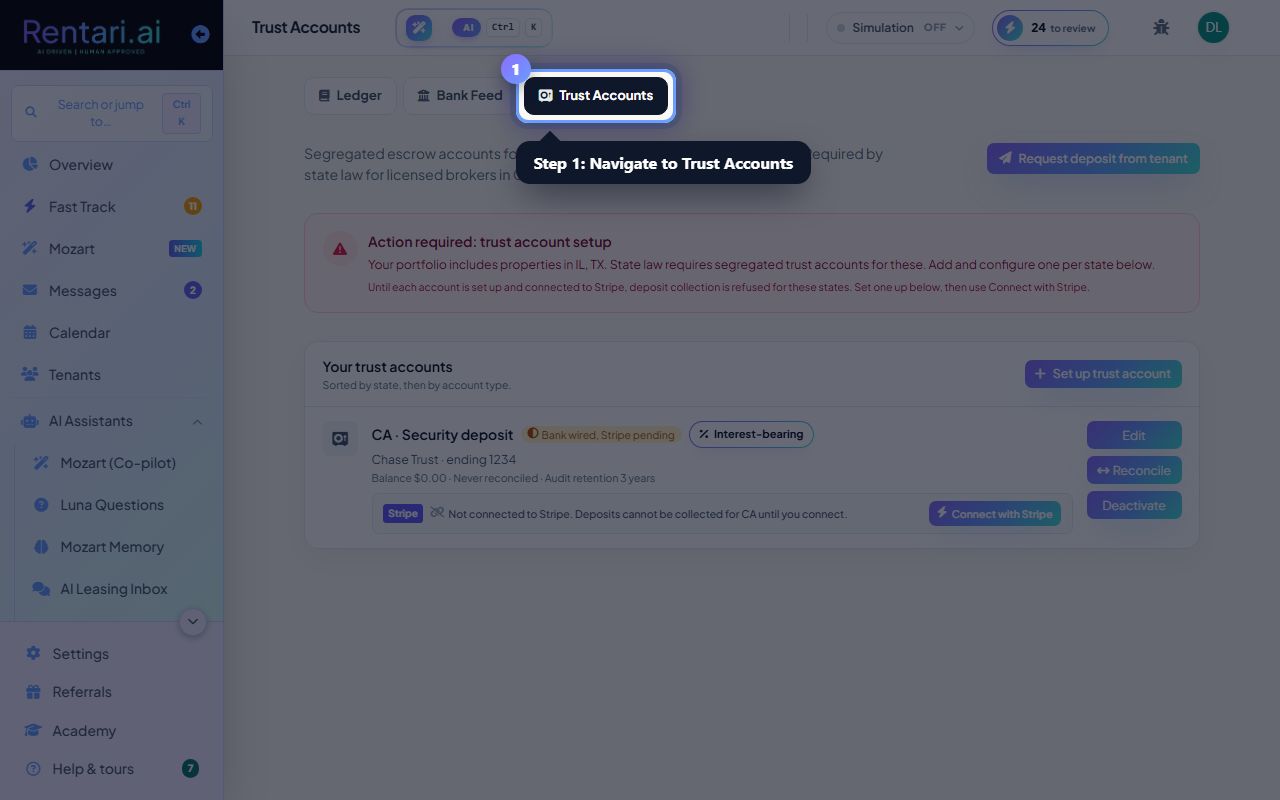
Action: Click Connect with Stripe to authorize the segregated Stripe escrow account, or click Configure to edit bank name, last 4 digits, and in-state requirements. Use the Configure modal to fill in bank details later if you skip them during setup.
Many states require deposits to sit in an account bearing the company or broker name. Rentari flags the states in your portfolio that need one. Interest-bearing accounts need your state's threshold amount on hand.
Reconcile deposits against bank statements
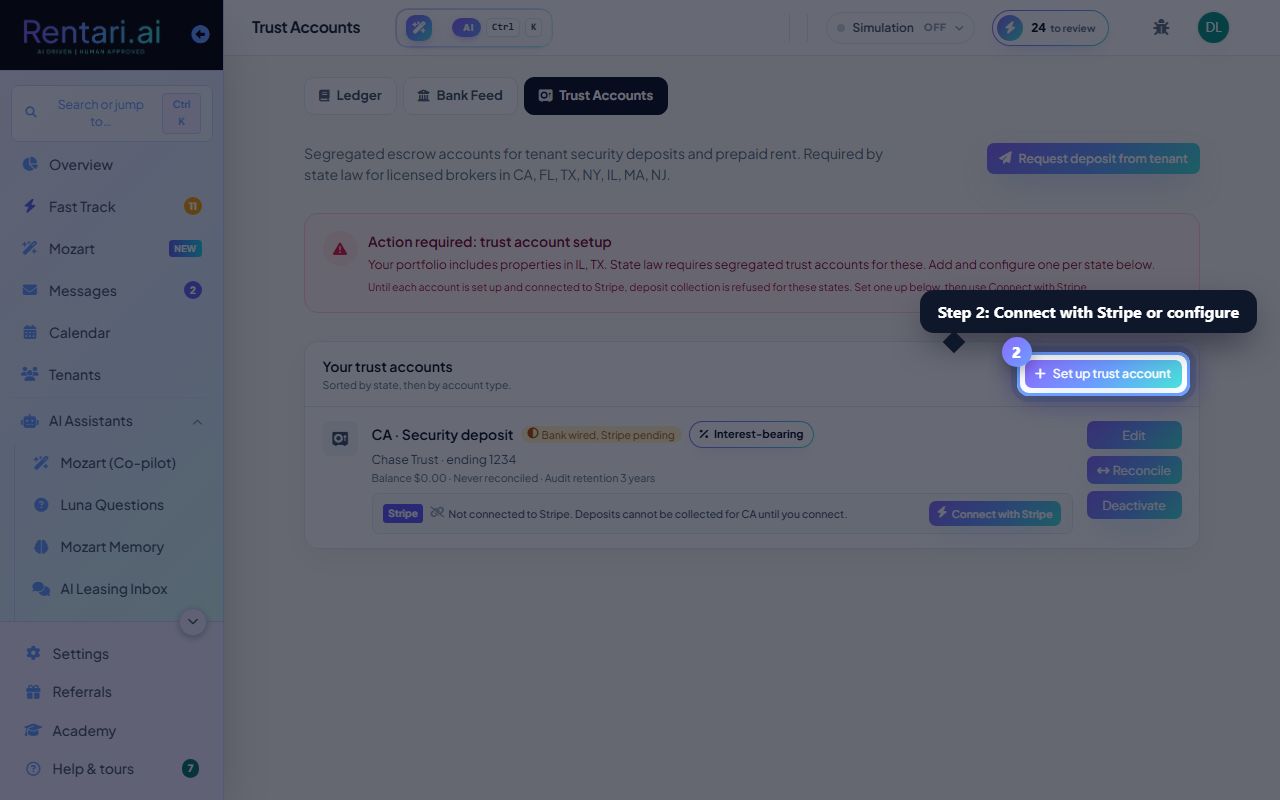
Action: Click the Reconcile button on any account row. Upload your bank CSV statement; Rentari.ai matches recorded journal entries to bank transactions. Click Accept all suggestions or manually match rows, then click Match to pair them.
Reconciliation is an audit record: the app suggests high-confidence matches (same date, amount, vendor), but you retain full control of which rows pair. Unmatched entries and transactions stay visible.