Help Center • Landlords • Portfolio
Track condo and HOA dues and assessments
Manage a condo or HOA association's unit dues, special assessments, and delinquency status.
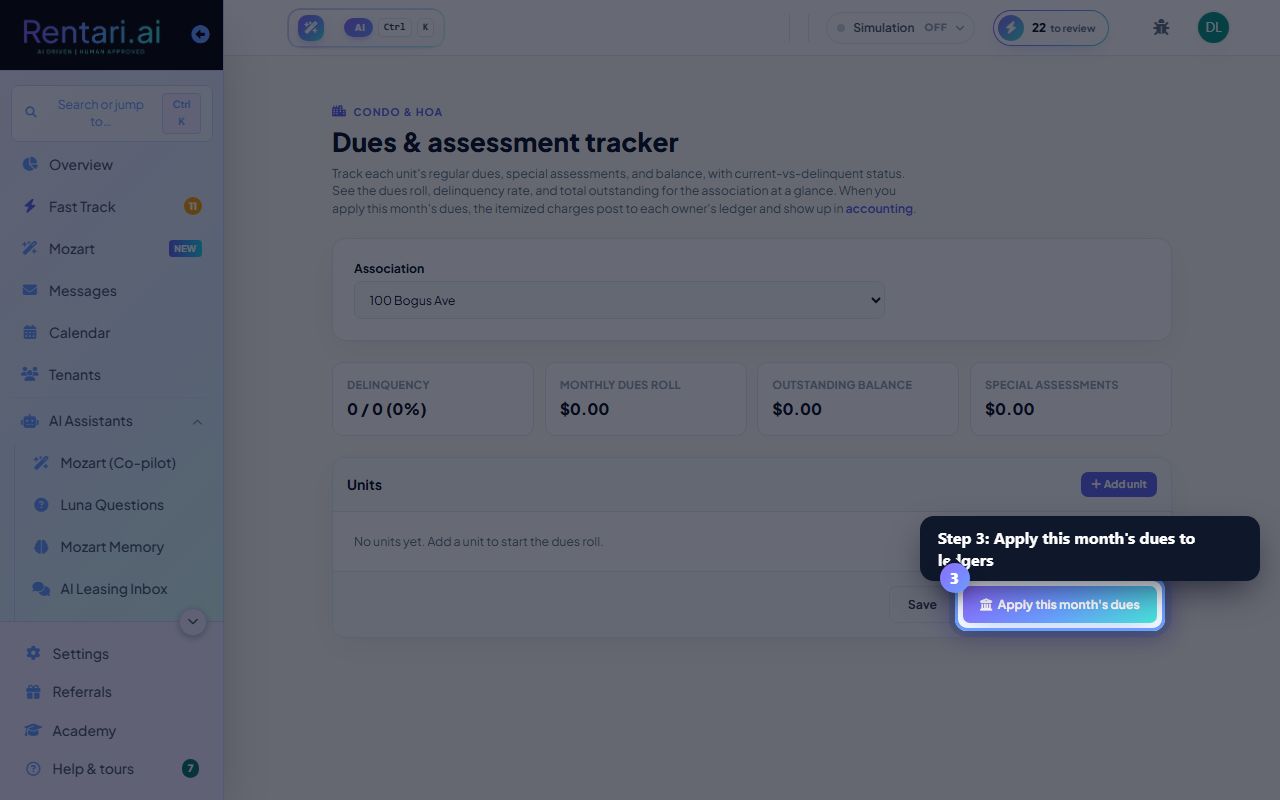
Select the association and add units
Action: Select the Association (property) from the dropdown. Click Add unit to create a row. For each unit, enter Unit label, Owner (optional), Monthly dues, Special assessment, and Balance owed. Set the status to Current or Delinquent.
The delinquency rate and outstanding balance are calculated in real time as you enter data. Save your changes before applying dues to confirm they are stored.
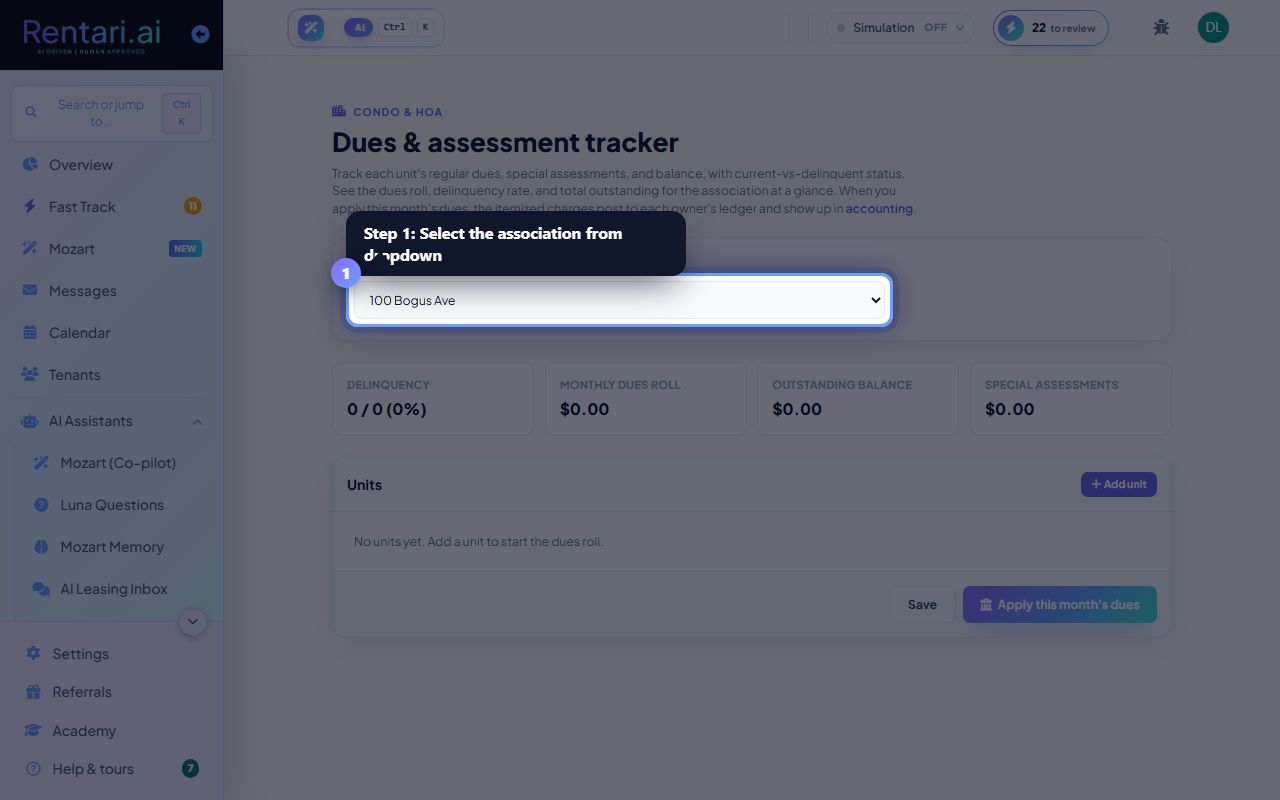
Review the dues roll summary
Action: After editing units, check the four summary cards: Delinquency rate (%), Monthly dues roll ($), Outstanding balance ($), and Special assessments ($).
A high delinquency rate or large outstanding balance may signal collection issues. Filter and contact delinquent owners before applying next month's dues.
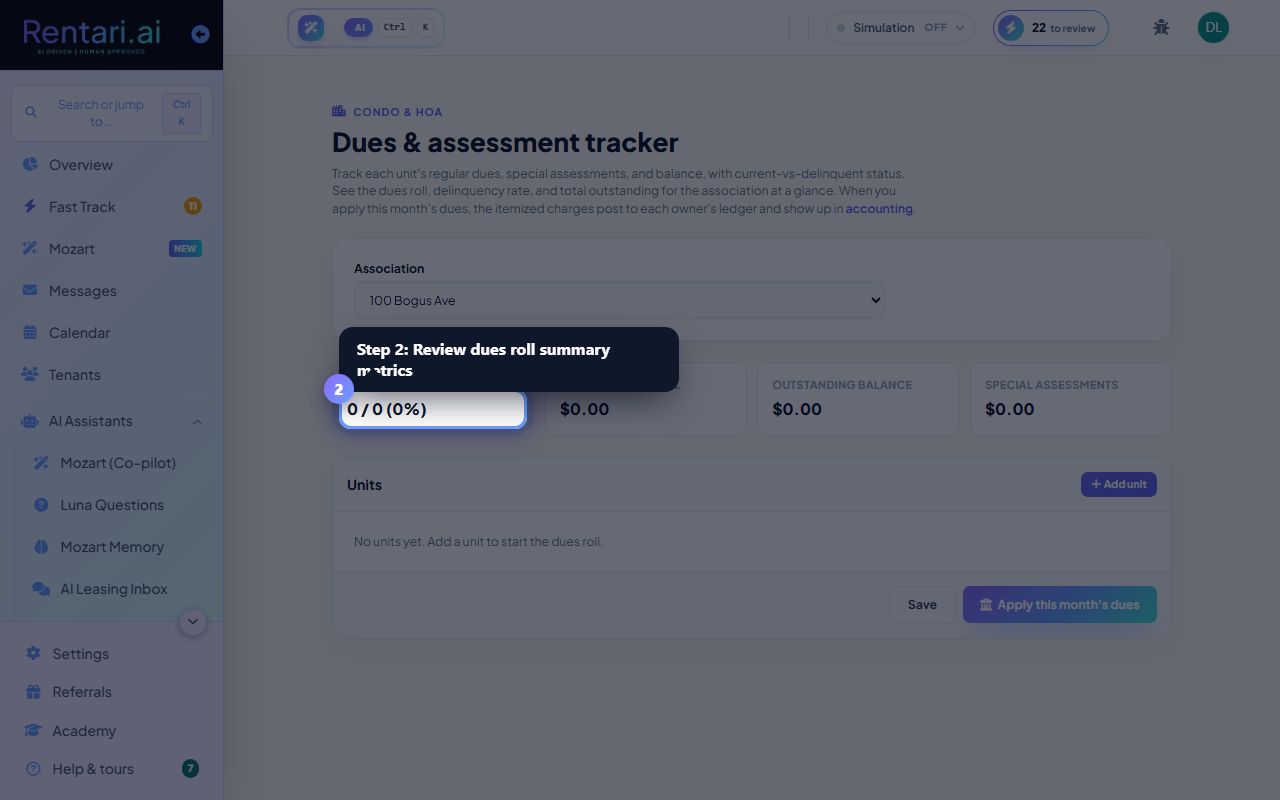
Apply this month's dues to owner ledgers
Action: Click Save to store your edits, then click Apply this month's dues. Confirm the prompt. Dues and assessments post to each owner's ledger and appear in accounting and rent collection.
Applying the same month twice will only charge owners not yet billed, preventing double-billing. The dues roll is saved independently; make sure edits are saved before applying.