Help Center • Landlords • Account & Settings
Configure reminder settings
Set up when and how tenants receive automated reminders (rent due, lease renewal, maintenance, inspections) via email, SMS, or in-app.
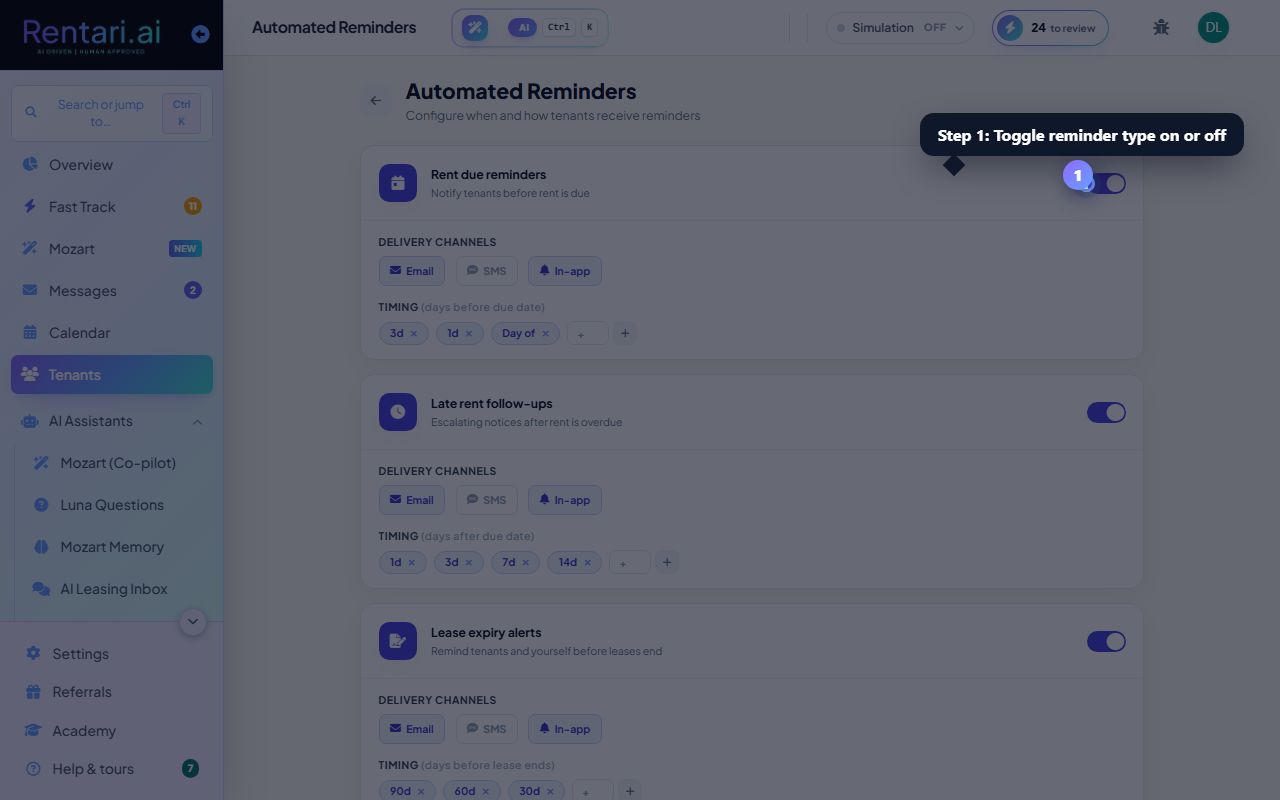
Enable or disable reminder types
Action: Each reminder type (rent due, lease renewal, maintenance, inspections) has a toggle. Click the toggle to enable a reminder, which reveals a collapsible settings panel. Disabled reminders appear dimmed.
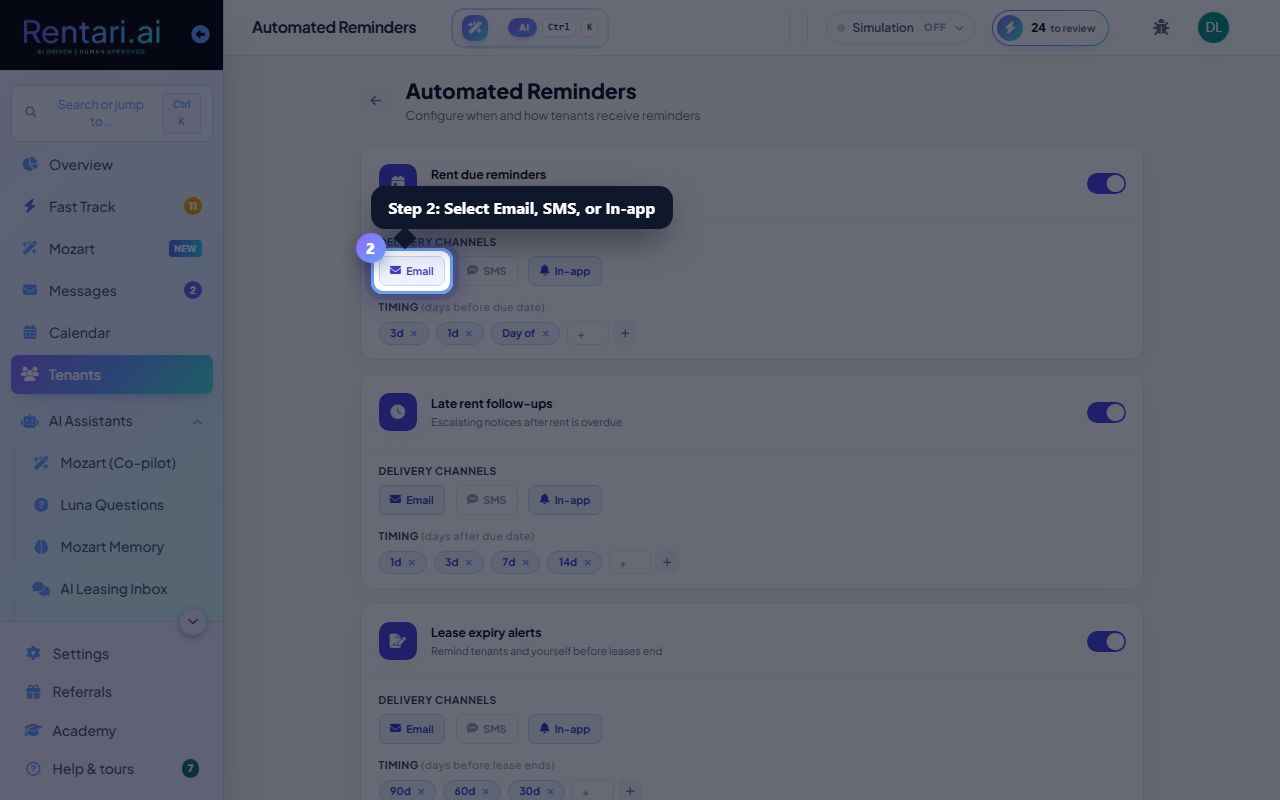
Choose delivery channels
Action: For each enabled reminder, select one or more channels: Email, SMS, or In-app. Each channel appears as a button that toggles between selected (indigo background) and unselected (white background). At least one channel must be active.
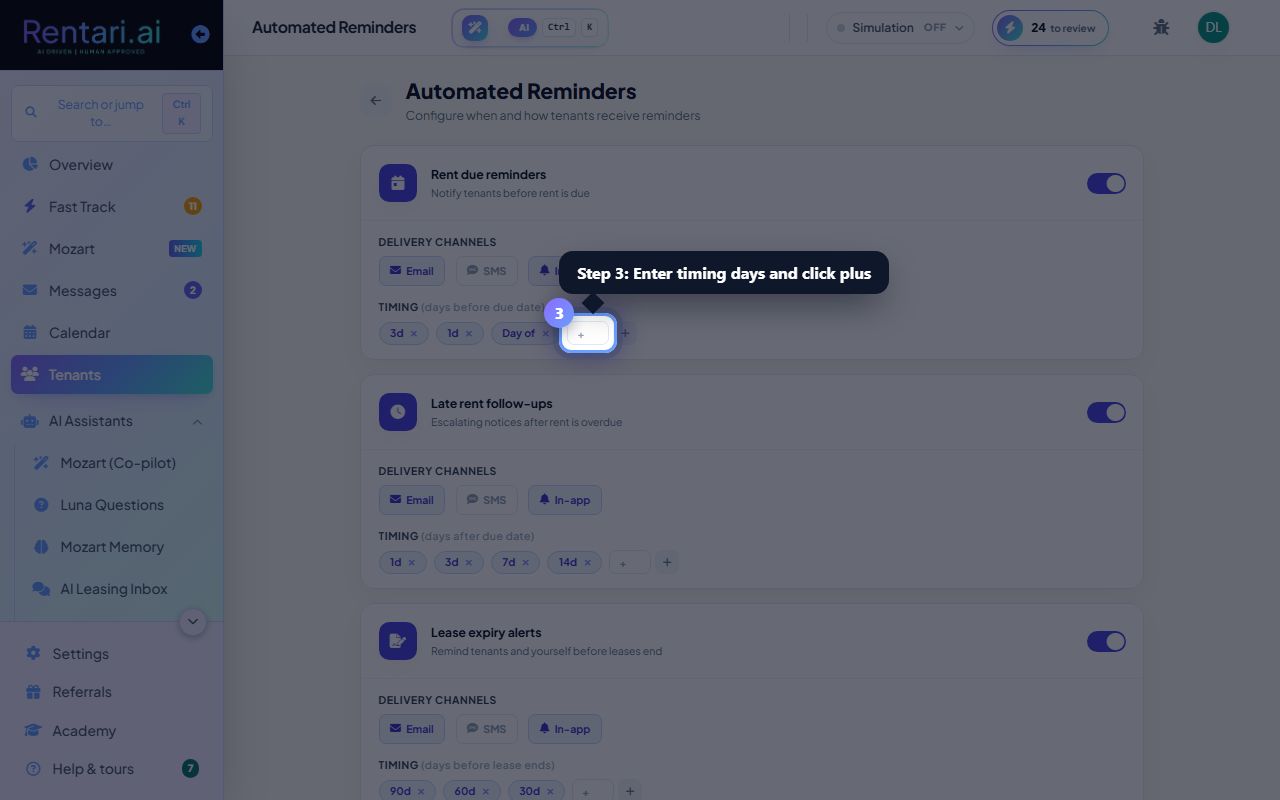
Set timing (days before or on due date)
Action: Click in the timing input field and enter a number (0 to 365). Day 0 means send on the due date itself; day 1 means send 1 day before, etc. Click the plus button to add the timing. Remove any timing by clicking the X on that tag. The page auto-saves after each change.