Help Center • Landlords • Portfolio
Manage self-storage units and occupancy
Track storage unit inventory, occupancy rates, monthly revenue, and delinquent tenants across facilities.
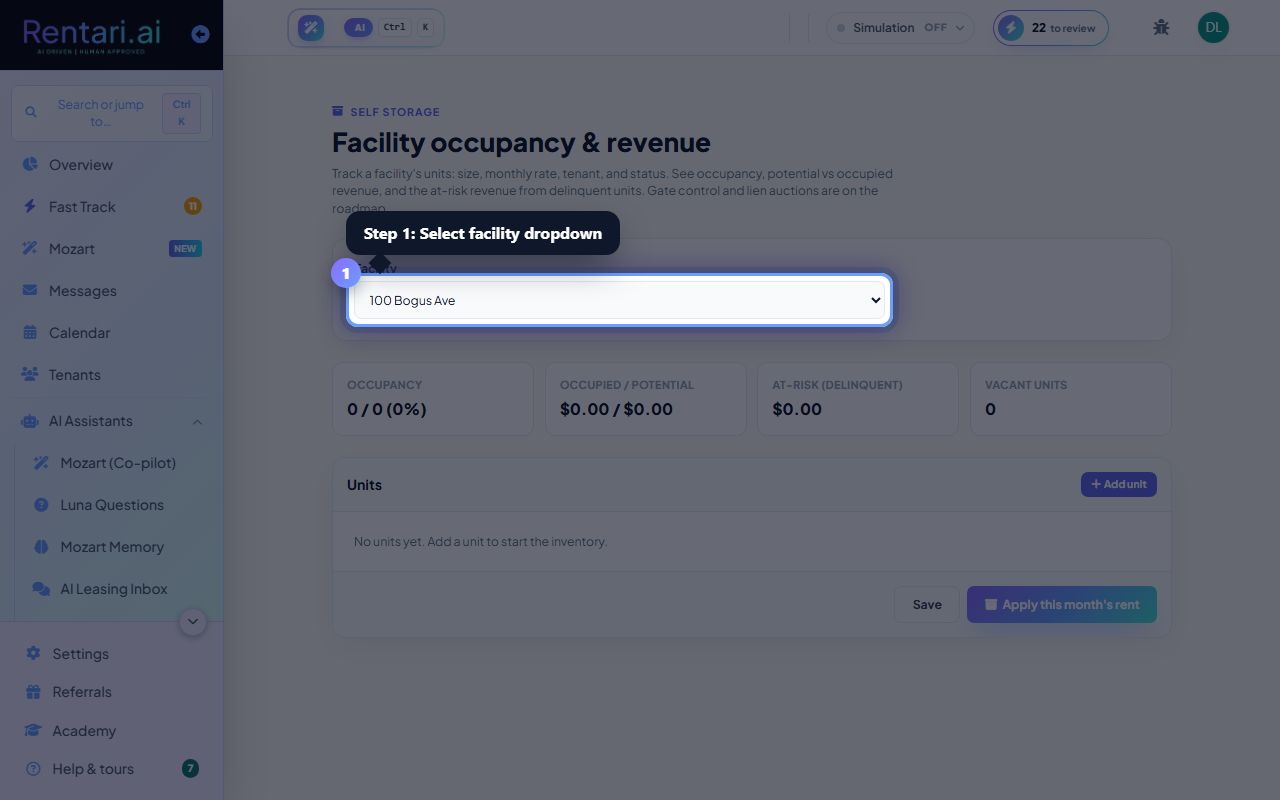
Select a facility
Action: Use the Facility dropdown to choose a storage property. The dashboard will display occupancy summary cards showing occupancy percentage, occupied vs potential monthly revenue, at-risk (delinquent) revenue, and vacant unit count.
If you see No properties yet, add a property in the Portfolio first, then return here to configure its units.
Manage unit status and rent
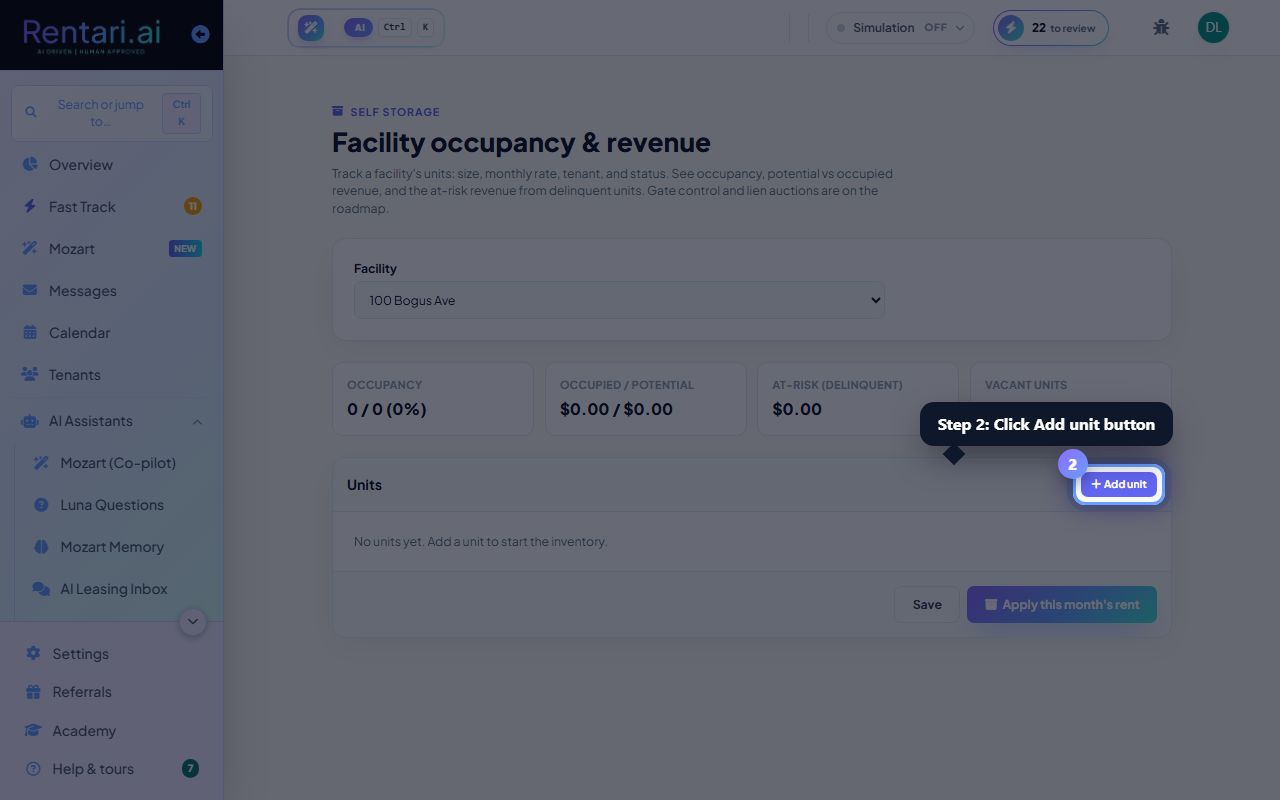
Action: Click Add unit to create a new row. For each unit, enter the unit number (required), size label (e.g. 10x10), monthly rate, tenant name (optional), and status (Vacant, Rented, or Delinquent). Click trash to remove a unit. Any rate change recalculates revenue immediately.
Mark a unit Delinquent only when the tenant has stopped paying. Delinquent rent appears separately as at-risk revenue so you can track collection risk.
Apply monthly rent and save
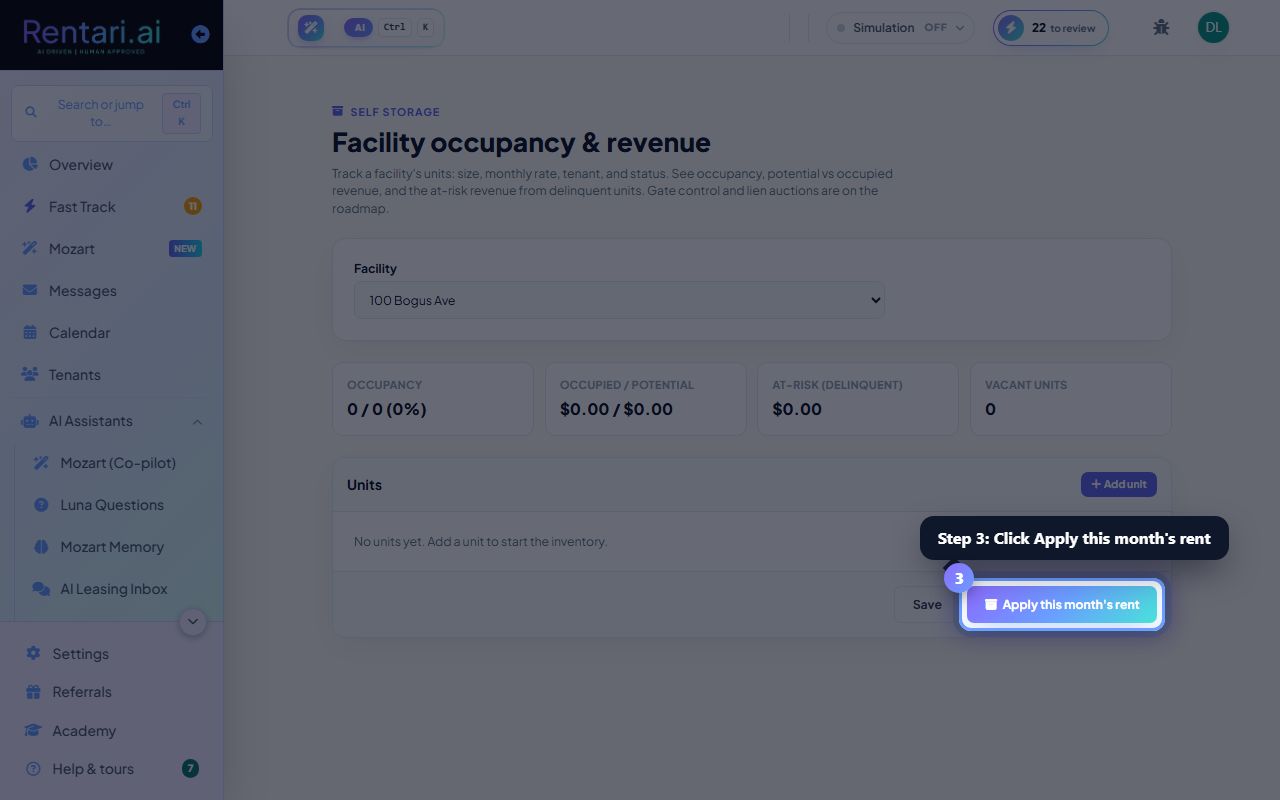
Action: Click Save to store all unit changes. Then click Apply this month's rent to bill every occupied unit (Rented or Delinquent status with a rate set). A confirmation shows how many units were billed and the total amount posted.
Apply rent is idempotent, so you can run it safely even if you already billed this month. It will skip units already billed and only add new ones.