Help Center • Landlords • Accounting & Reports
Review payment activity
Auditable record of every payment, fee, refund, and ledger edit with filters, date range, and CSV export for your accountant.
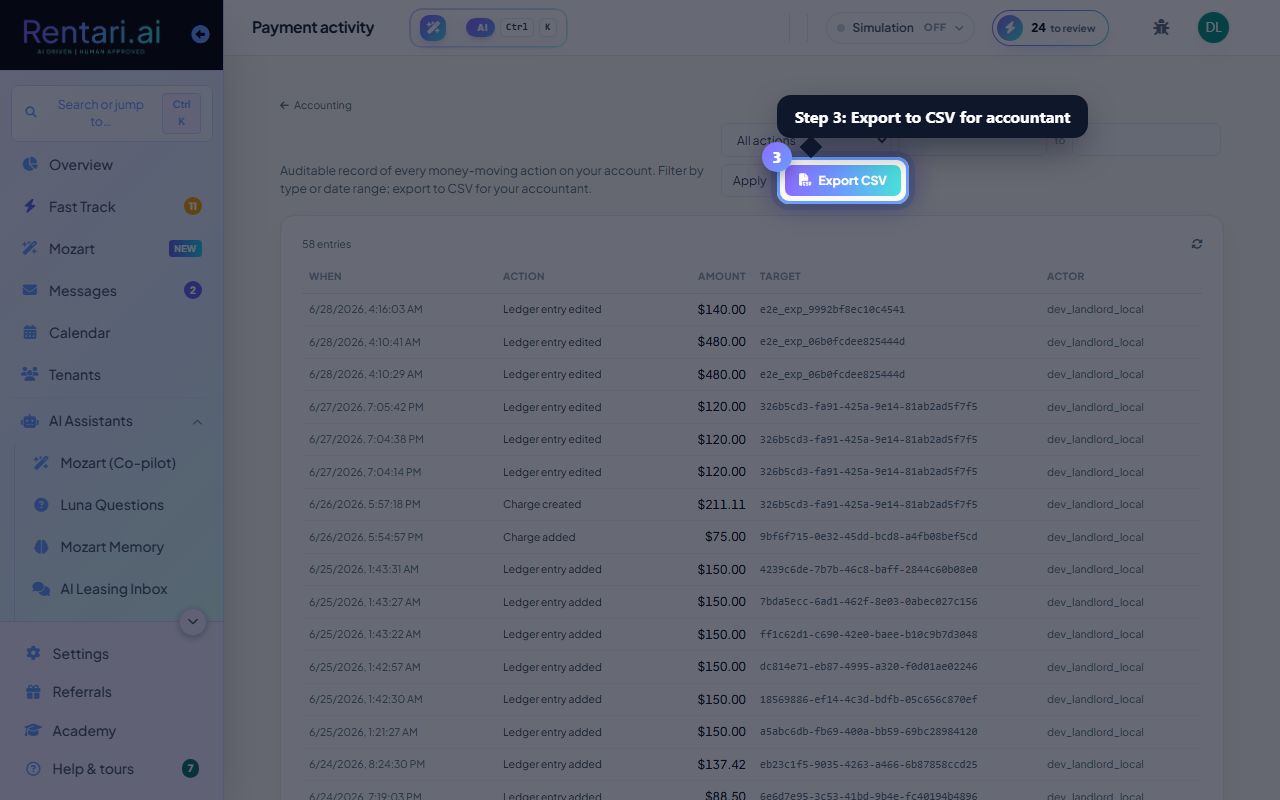
Open and filter the payment activity feed
Action: Go to Accounting, then Payment Activity. The table shows all actions: payments received, rent, refunds, vendor payouts, subscription changes, and ledger edits. Use the Filter dropdown to show only one type (e.g., Vendor payouts) or leave blank for All.
The Action column names the operation (e.g. Security deposit collected, Payment received); Target ID and Actor track who or what was affected. When sorting by type, use prefixes like 'rent_' or 'refund_' to narrow fast.
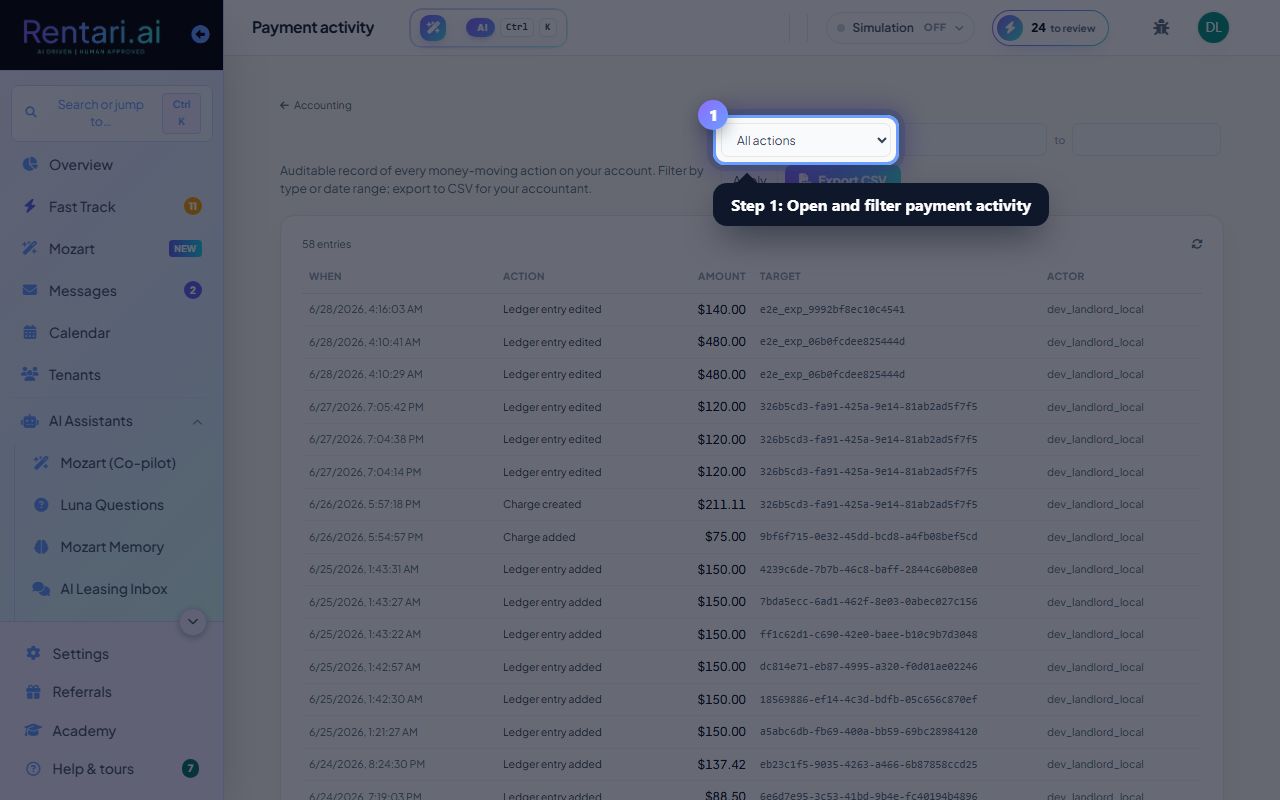
Set a date range and apply
Action: Click the Start date and End date fields, pick your range, then click Apply. The table refreshes to show only actions in that window. The count updates to show total actions and how many are displayed.
The page defaults to your entire history. Narrow by date range to investigate a specific month or period; the CSV export respects your filters.
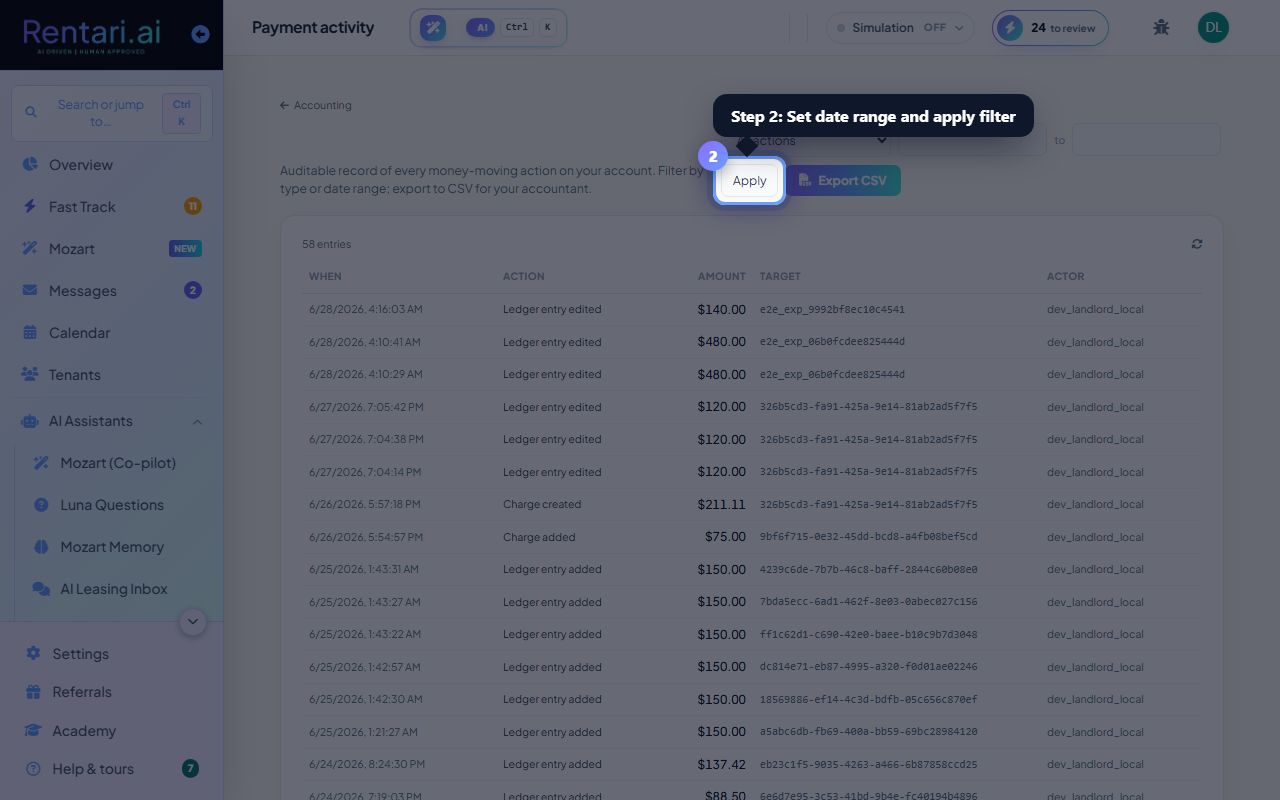
Export to CSV for your accountant
Action: Click Export CSV. A spreadsheet downloads with columns: When, Action, Amount, Target, and Actor. Each row is one money-moving event: a complete audit trail for reconciliation or tax prep.
The export includes the same filters you applied (date range, action type). No modifications happen during export: it is read-only and complete as recorded.