Help Center • Landlords • Get Paid
Calculate property investment returns
Compute underwriting metrics including cap rate, cash-on-cash return, NOI, DSCR, and gross rent multiplier for deal analysis and portfolio evaluation.
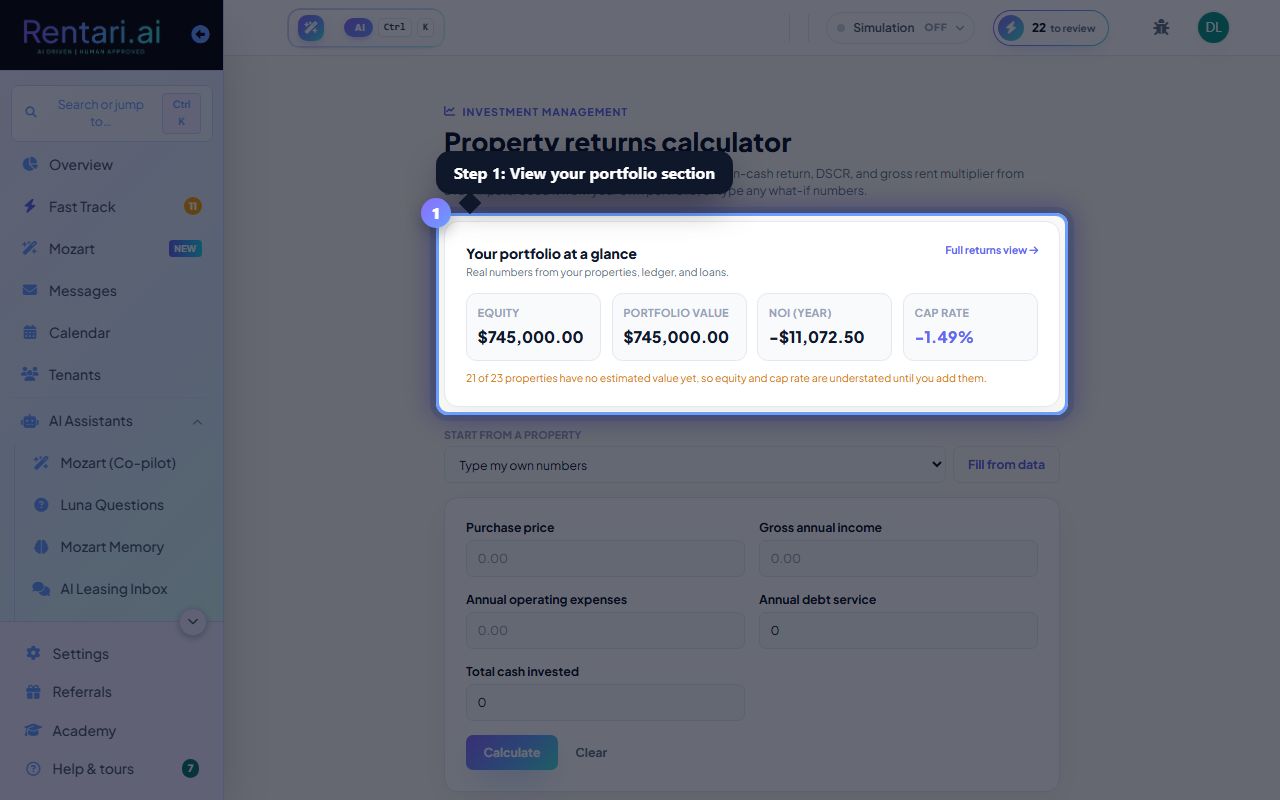
Review your portfolio at a glance
Action: Scroll to the Your portfolio at a glance section (if you have properties on file). View total equity, portfolio value, annual NOI, and cap rate. A link to Full returns view opens the accounting dashboard for a detailed breakdown.
Portfolio numbers are read-only and come from your actual Property, Loan, and Ledger records. If a figure is missing, it shows as add this, never a guessed zero.
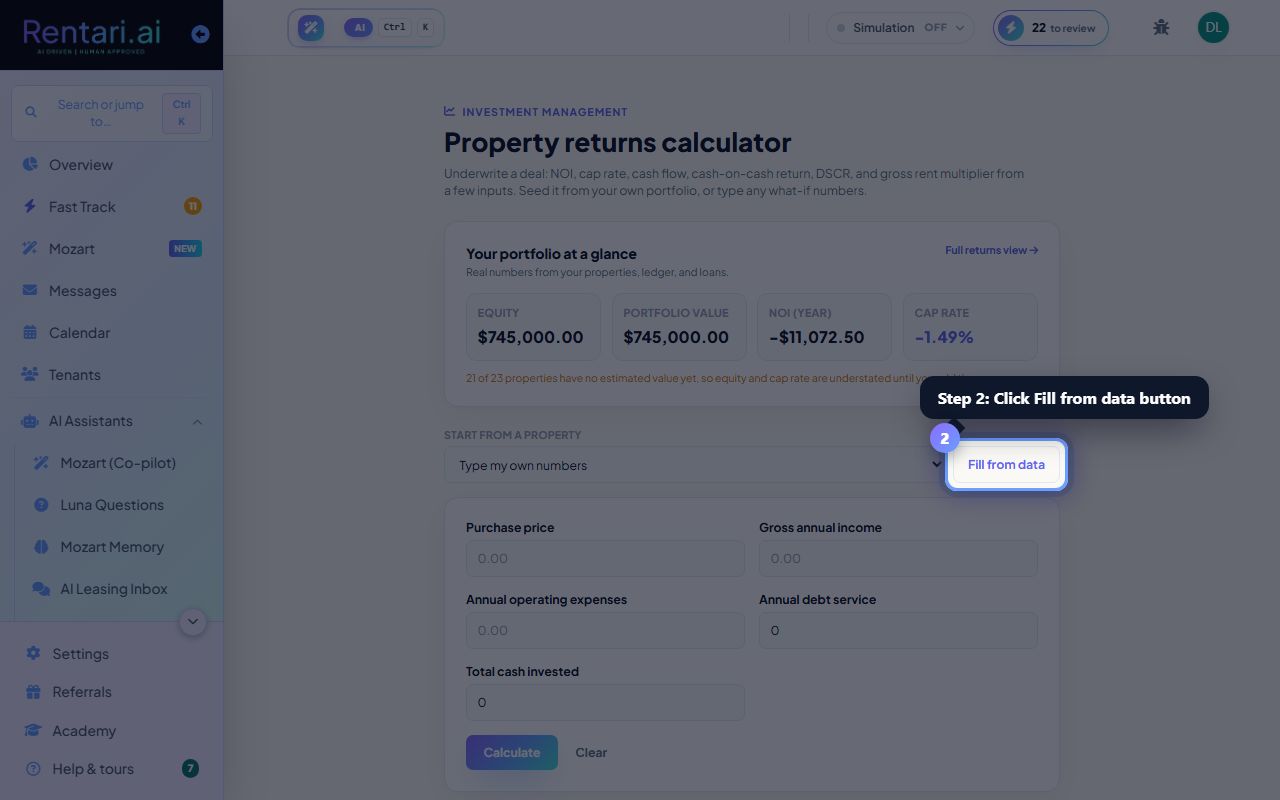
Seed the calculator from a property or type your own
Action: If you have properties, use the Start from a property dropdown and click Fill from data to pull real numbers into the calculator. Alternatively, type your own values for purchase price, gross annual income, operating expenses, annual debt service, and cash invested. Click Calculate to run the analysis.
Operating expenses should exclude debt service and capital expenditures. Include only ongoing costs like insurance, maintenance, and property taxes.
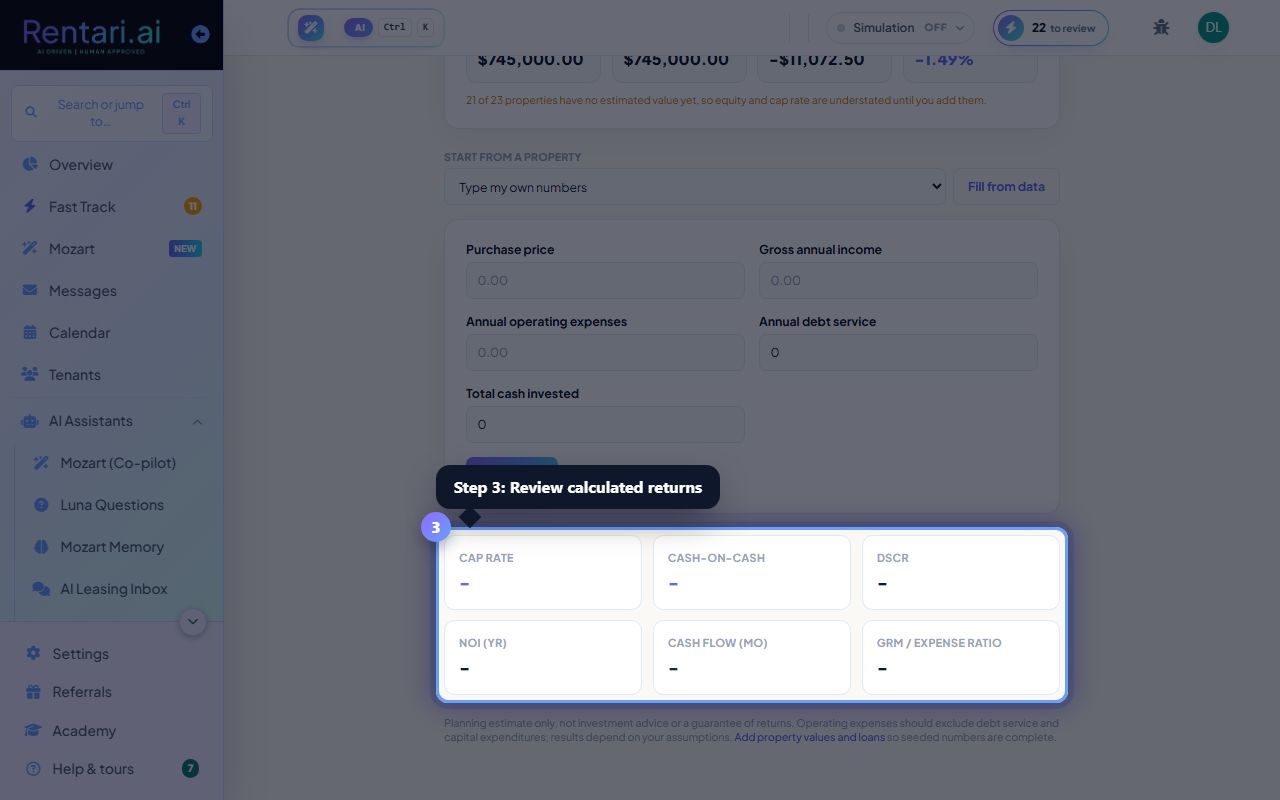
Review underwriting metrics
Action: After you calculate, the results show cap rate, cash-on-cash return, DSCR, annual NOI, monthly cash flow, and gross rent multiplier. Green cash flow means positive return; amber means negative. Adjust inputs and recalculate to model different scenarios.
This is a planning tool only, not investment advice. Results are only as good as your assumptions. Add property values and active loans to Rentari.ai so seeded numbers are complete and accurate.