Help Center • Landlords • Maintenance
Use Vision AI
Upload photos to the AI to reconcile move-in and move-out, triage maintenance issues, document baseline conditions, or grade listing photos.
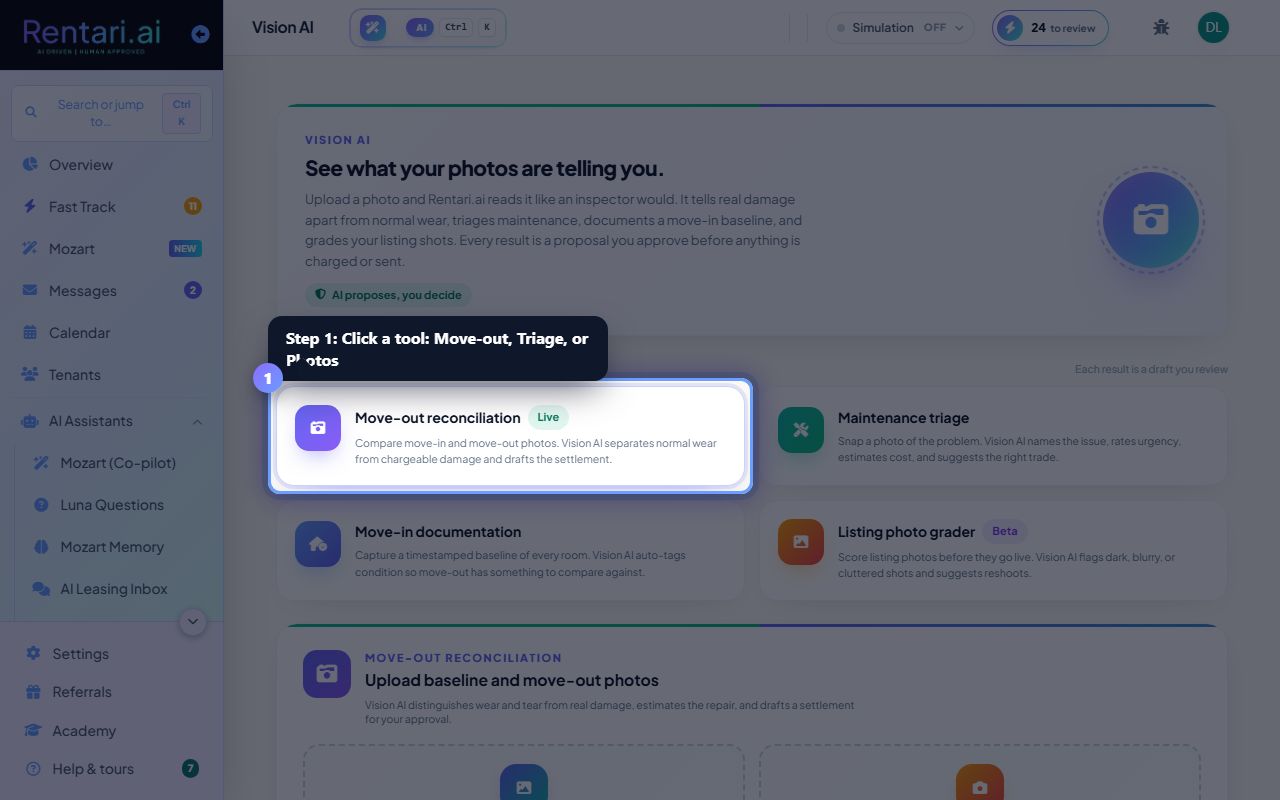
Pick a Vision AI tool
Action: The page shows four capabilities as cards: Move-out reconciliation, Maintenance triage, Move-in documentation, and Listing photo grader. Click a card to switch to that tool's workspace below.
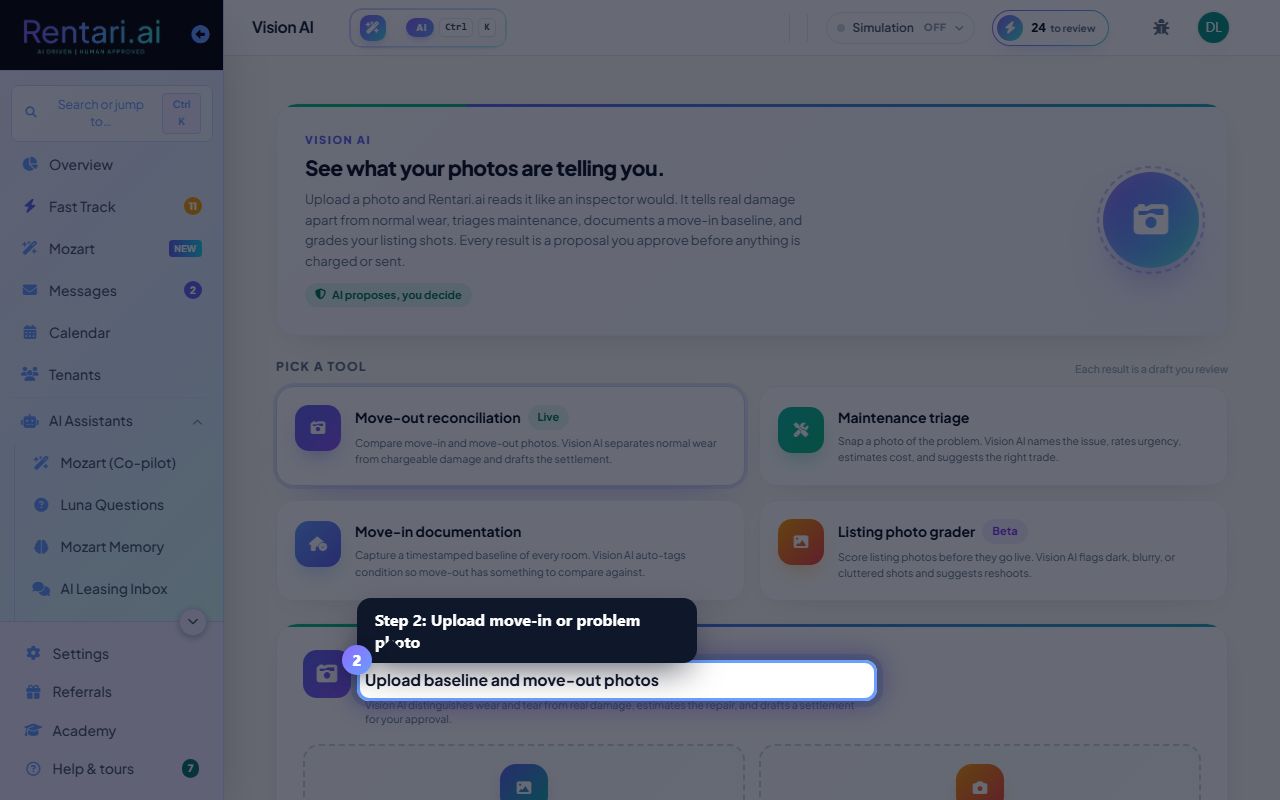
Upload photos and optional context
Action: For Move-out, drop two photos (move-in baseline and move-out current) and optionally label the room. For Maintenance, upload a photo of the problem and add a note. For Move-in, drop a room photo. For Listing grader, upload a candidate listing photo and name the room. All uploads are drag-and-drop or click-to-browse.
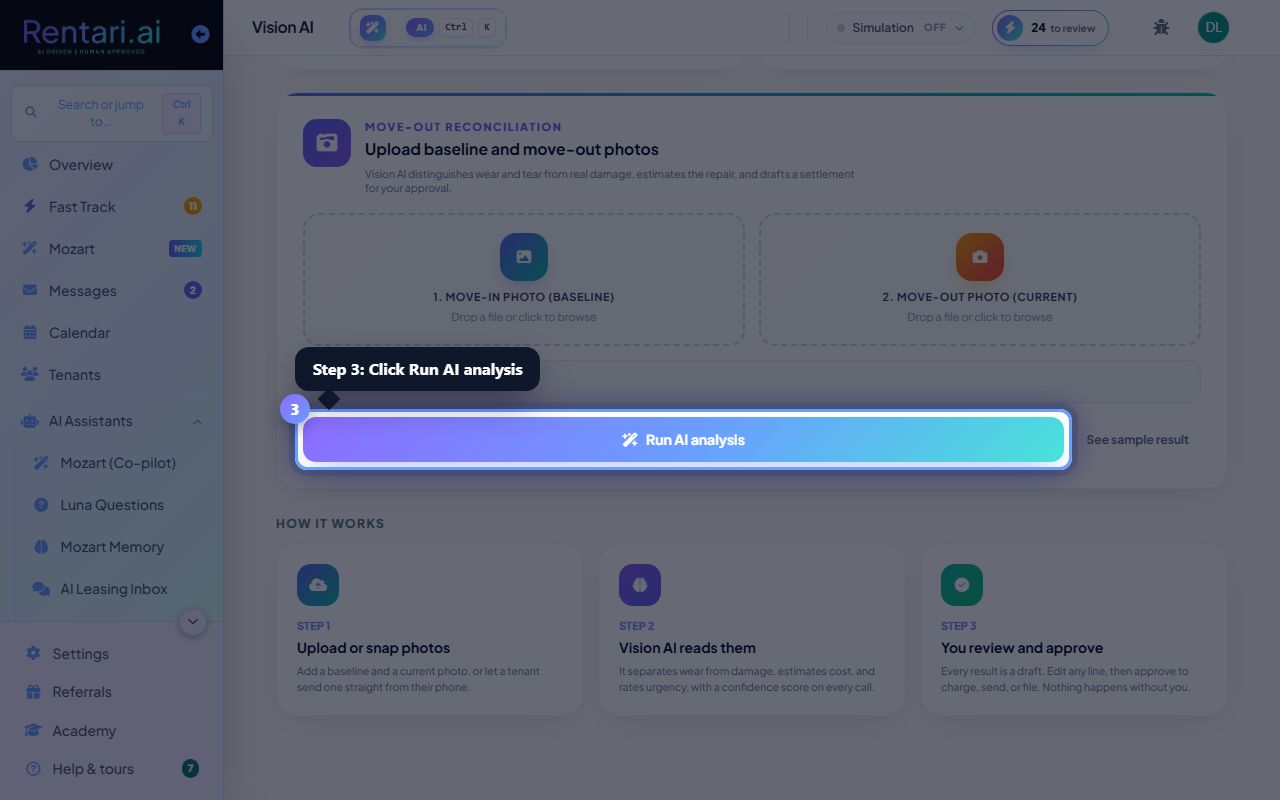
Run AI analysis and review results
Action: Click Run AI analysis (or the tool-specific button). The AI returns a draft report with findings, severity, cost estimates, or photo scores. Every result is a proposal you can edit and approve. Click Open Move-Out Walkthrough, Draft a replacement lease, or other CTA to proceed, or Analyze another to upload new photos.