Help Center • Landlords • Get Paid
Add a charge
Bill a tenant for rent, fees, utilities, or other one-time and recurring charges that post straight to their ledger.
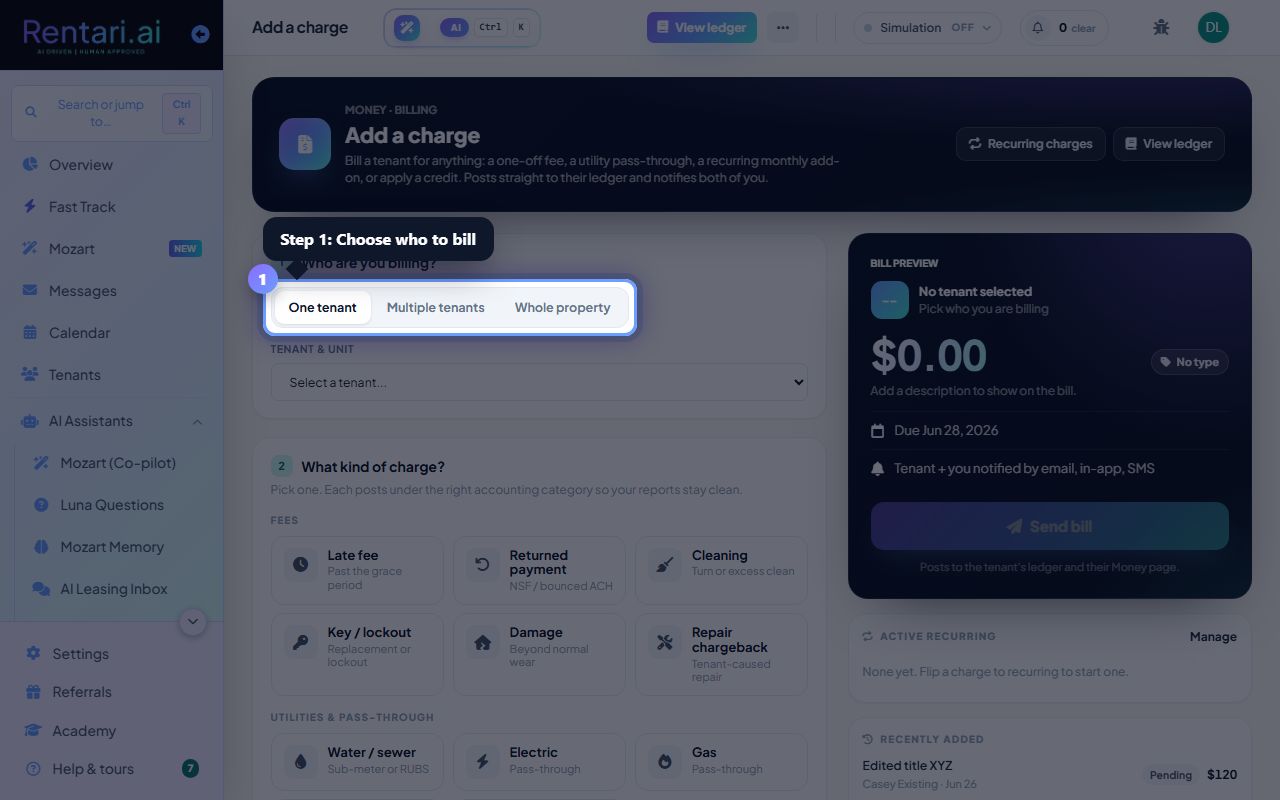
Choose who to bill
Action: Click 'One tenant', 'Multiple tenants', or 'Whole property' tabs under 'Who are you billing?'. For single tenant, use the 'Tenant and unit' dropdown to select the tenant.
The tenant dropdown shows all active leases. If you see an outstanding balance hint below the dropdown, it shows their current amount due.
Select the charge type
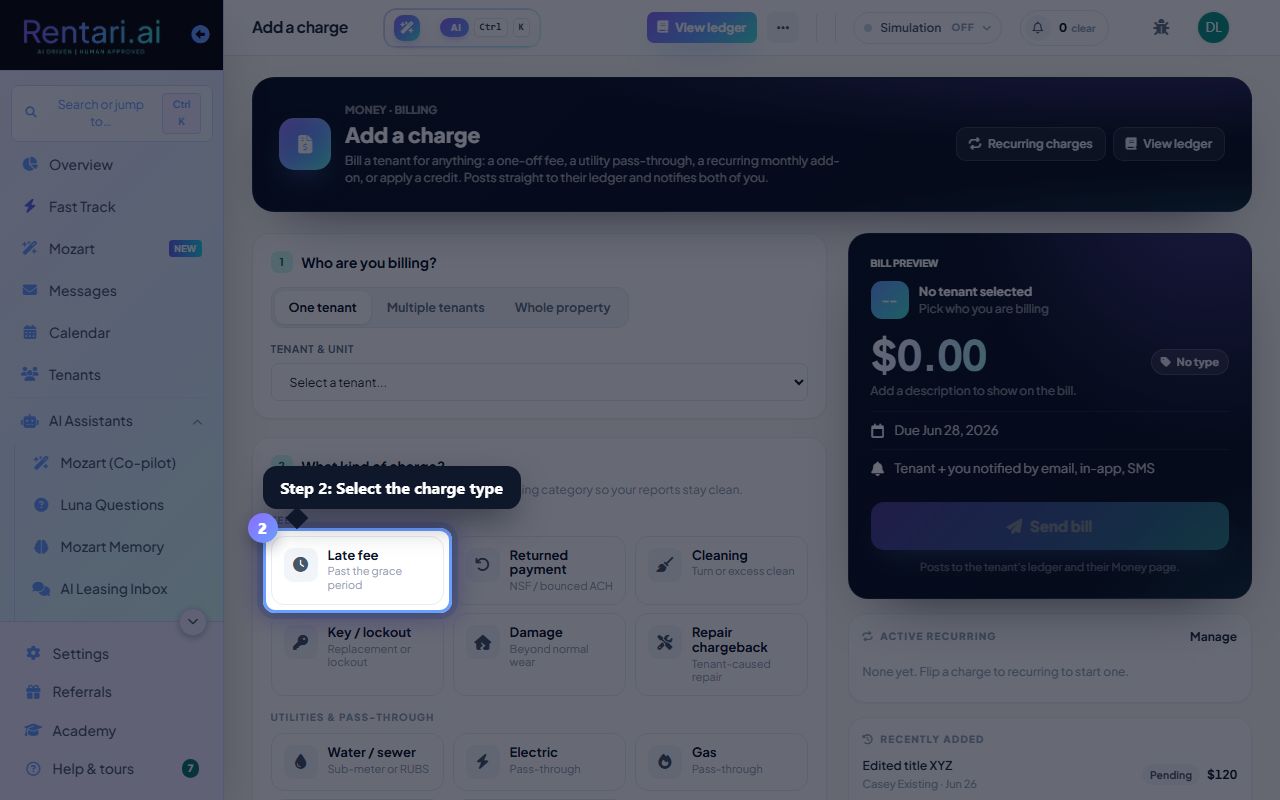
Action: Click the tile for 'Rent', 'Late fee', 'Utility pass-through', 'Deposit hold release', 'One-time charge', or 'Credit'. Each tile shows what the charge covers.
Credits appear on the right side of the tiles with a green checkmark. Recurring charges have their own tab and can be set up from the 'Recurring charges' button in the top right.
Enter amount and submit
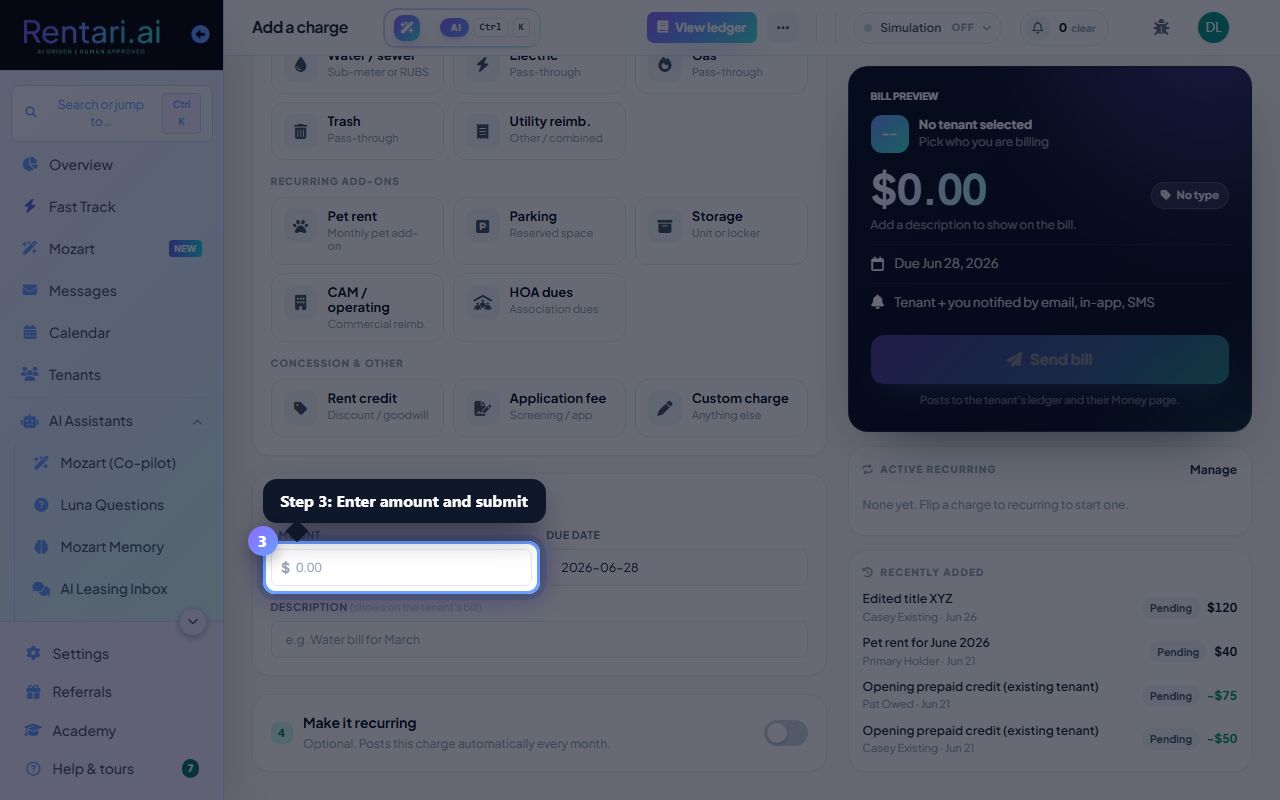
Action: Type the charge amount in the input field on the right panel. Select the date if needed, add a note (optional), then click the 'Post charge' button to confirm.
The preview panel on the right updates in real time and shows you exactly what will post to the ledger. You can view all charges in the 'View ledger' button at the top.