Nobody got into real estate to do bookkeeping, yet for most landlords and property managers the books are where the evenings and weekends go. The Rentari bank feed takes that job off your plate without taking the controls out of your hands: connect your bank once, read only, and Rentari drafts your books from the real money moving through your accounts. You approve. Your reports stay current all year, so there is no scramble in April. Here is exactly how it works, and an honest account of what it does and does not do.
The tax you pay in evenings and weekends
The hidden cost of running rentals is not any single subscription. It is the bookkeeping. You log into one bank portal, then another, export a pile of CSV files, guess at categories, try to remember which deposit was rent and which was a transfer, and chase the handful of lines that do not match. Then tax season arrives and you stitch it all into a Schedule E by hand. It is the tax nobody quotes you, paid in hours.
Rentari's bank feed exists to take that whole job off your plate while keeping you in charge of every entry. This is the plain-language version of how it works, written so you can check it against what you see, and honest about the edges.
Connect your bank once, read only
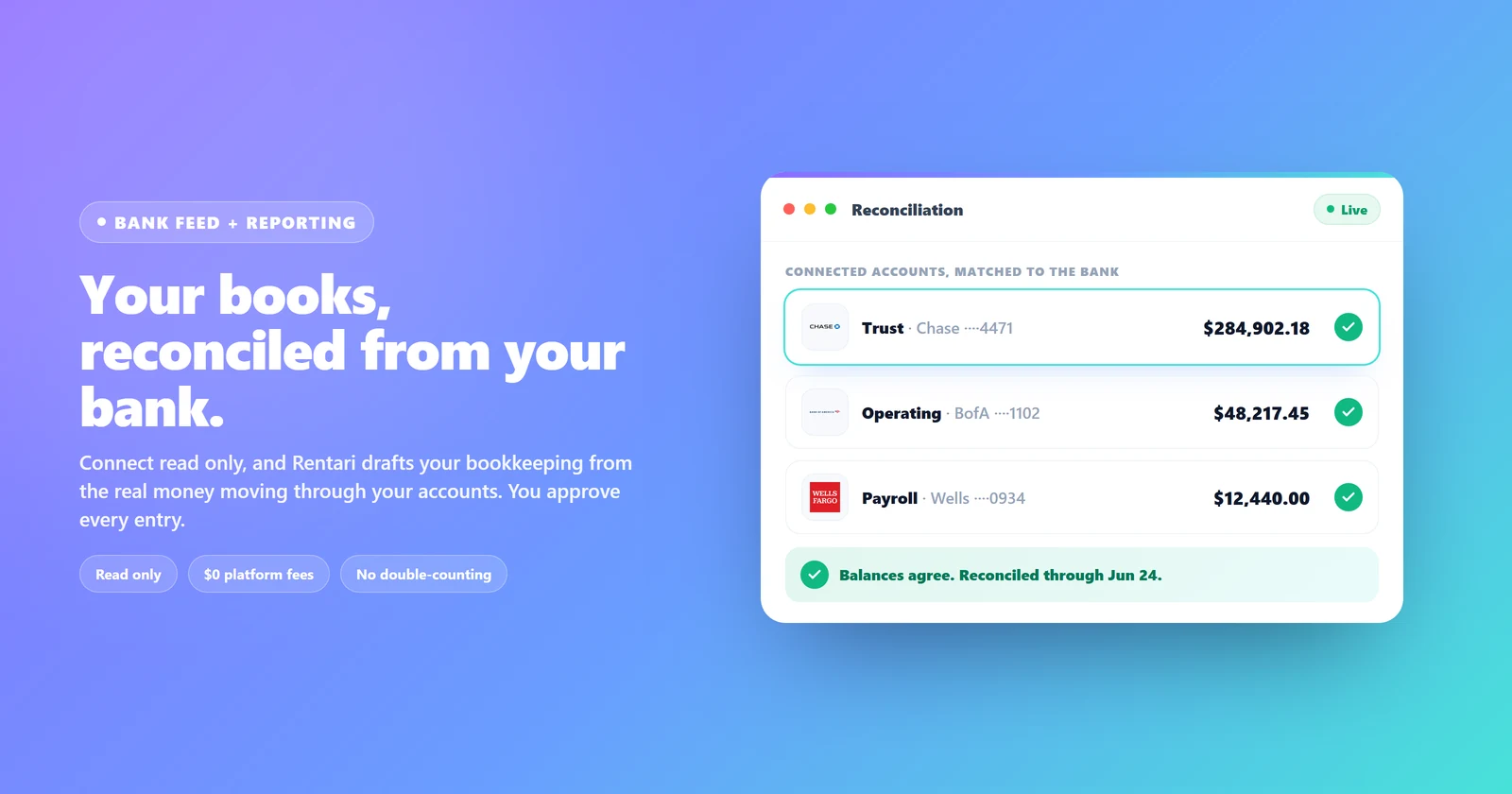
You link your accounts through Stripe Financial Connections, the same secure rails your bank already trusts. Your login credentials go to your bank, never to Rentari. The connection is read only: Rentari can see your transactions to keep your books current, and it can never move, hold, or touch your money. There are no platform fees on the connection, and to be clear about what is under the hood, this runs on Stripe Financial Connections, not Plaid. Connect as many banks and accounts as your operation runs, label each one trust, operating, or payroll, and disconnect any of them in a single click.

It drafts, you approve. It never posts on its own.
This is the part that matters most. When a transaction lands, Rentari does not silently write it into your books. It proposes a category and a match, and you approve or change it. The same rhythm runs across the whole product: the AI suggests, you decide, and nothing reaches your ledger until you say so. Approve the obvious ones in a click, correct the rare miss, and Rentari learns the merchant, so the next transaction from that vendor is already categorized the way you like it. Your books fill themselves in, but you are always the one signing off.

It reconciles your books. It does not make a second copy.
Most tools that pull a bank feed quietly create a parallel set of books, and then you spend your time untangling the duplicates: the rent you already recorded shows up again as a bank deposit, and now your income is double-counted. Rentari is built the other way around. It confirms the books you already have. When a deposit lands, it matches it to the rent or the charge already on your ledger instead of booking a new one. When Stripe sweeps a week of rent payments into a single payout to your bank, minus its fee, Rentari reconciles that one batched deposit back to the many individual rent payments behind it, books the fee once, and never counts your income twice. The result is one clean set of books, not two sets you have to reconcile against each other.

Reports your accountant can actually use, in minutes
Because your books stay current, the reports are ready whenever you are, not after a weekend of cleanup:
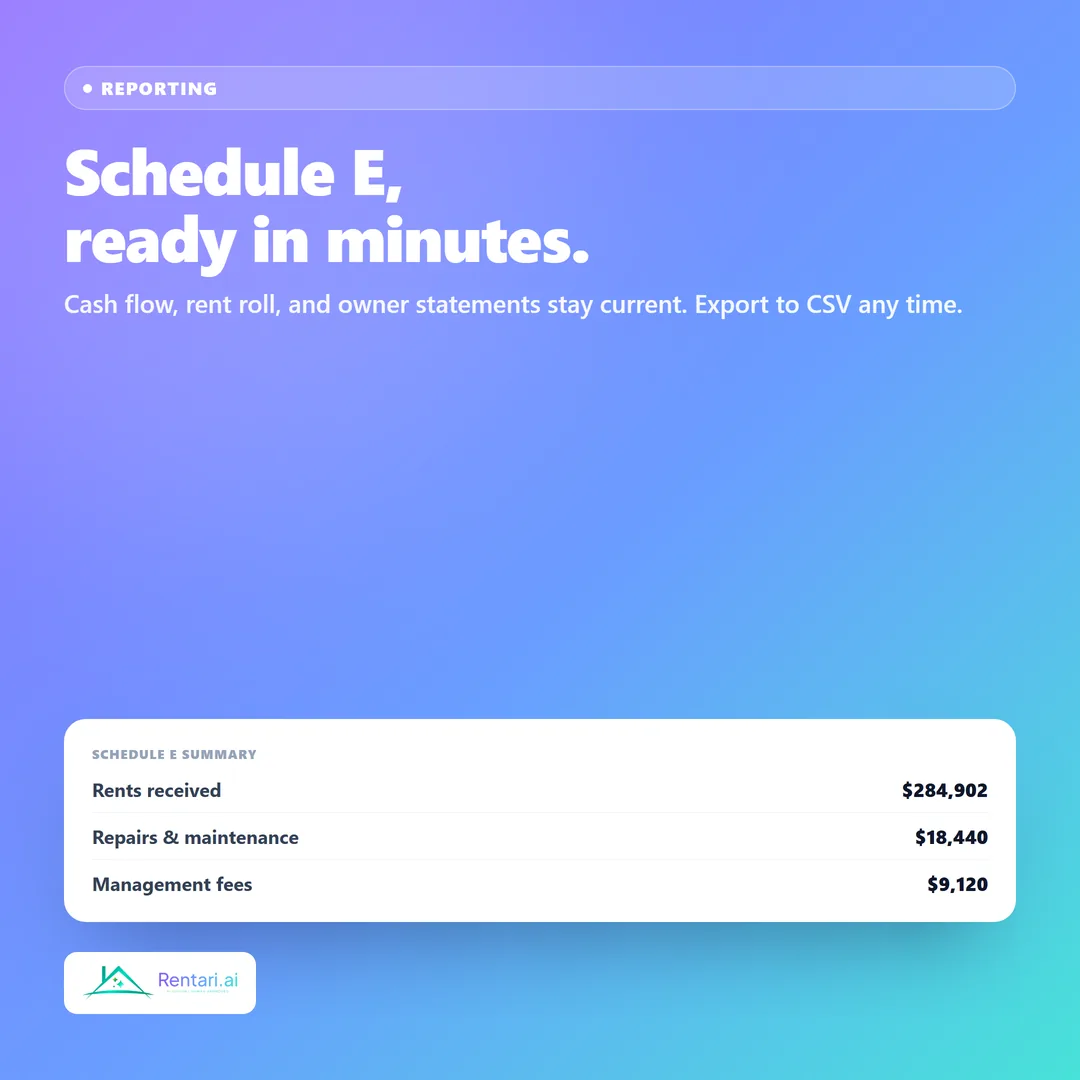
- A Schedule E export grouped the way the IRS form reads, ready to hand to your accountant at year end.
- A cash-flow statement that shows what actually came in and went out, by property and across the portfolio.
- A rent roll of who is paying what, current as of today.
- Owner statements and per-property views, so a property manager can show each owner exactly where their money stands.
Every one of them exports to CSV, so the numbers move cleanly into whatever your accountant uses. The point is not a prettier dashboard. The point is that the question "where do I actually stand" has an answer you can trust on any given day, by property and by owner, without an export-and-stitch ritual.
Prove where your security deposits sit
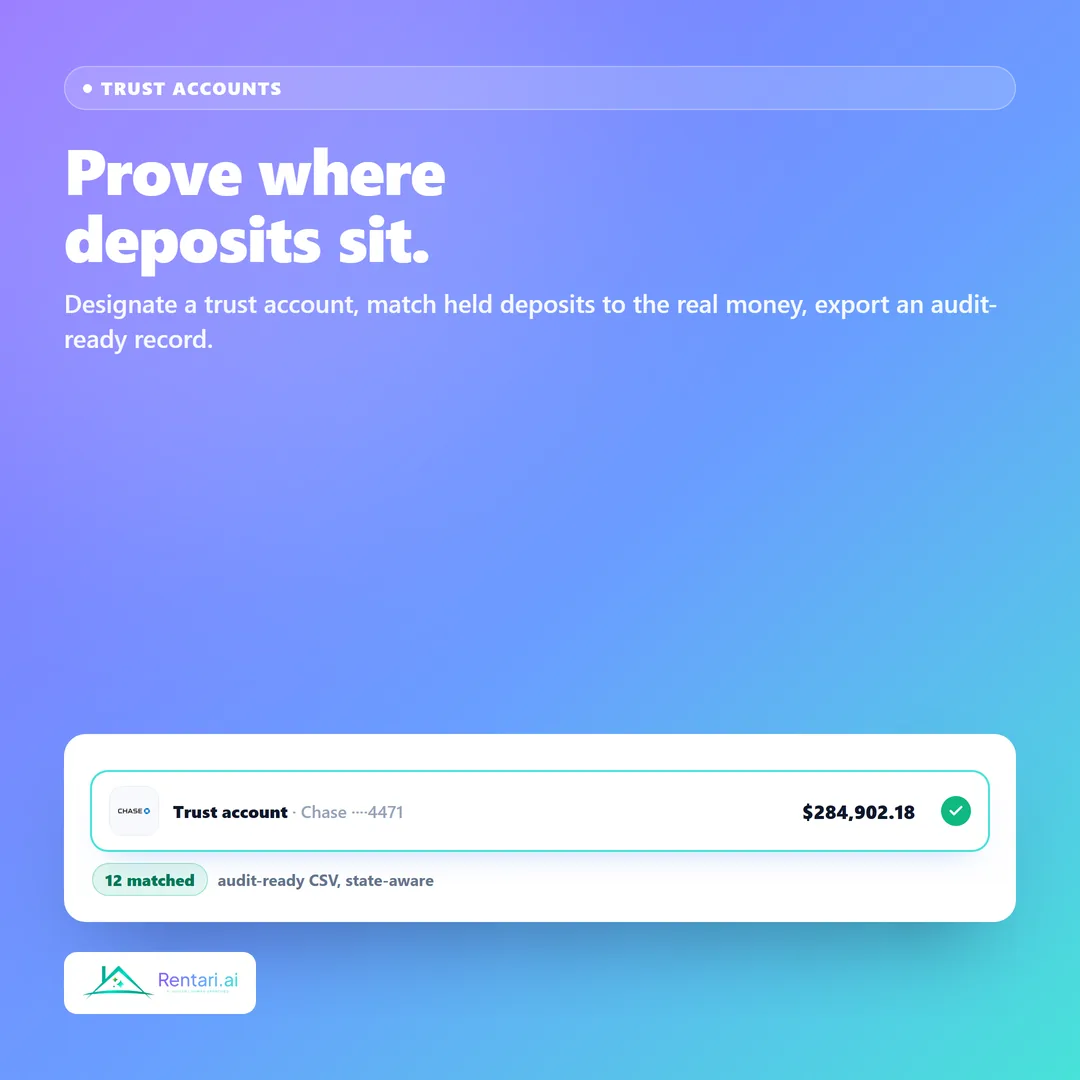
Holding tenant security deposits comes with real responsibility, and many states expect them kept in a separate trust account. Rentari now lets you designate any connected account as your trust account, and it matches the deposits you are holding on the books to the real money moving through that account. The obvious matches close themselves, you reconcile the rest in a click, and you can export an audit-ready record any time, with the matched deposits, bank dates, and balances laid out for a broker or an auditor. When you pick a state, it flags what that state generally expects, such as a segregated, in-state, or interest-bearing account.
One honest line on this: it is an evidence and reconciliation tool, not a compliance guarantee. It shows you where the deposits sit and gives you the paper trail. You stay responsible for how the account is actually set up at your bank, and your own counsel is the authority on your state's rules.
What it gives back to a landlord or a property manager of any size
For a self-managing owner with a few doors, it is the difference between dreading the books and barely thinking about them. For a property manager running other people's money, it is something more: current numbers you can show an owner on demand, a clean trail behind every deposit, and tax-time exports that take minutes instead of a lost weekend. The same engine runs whether you hold five units or two hundred. You get your evenings back, your books stay honest because they trace to the bank, and the answer to "what is my real cash position" is always one screen away. See the full feature on the bank feed and reconciliation page.
The honest part: what it does not do
The bank feed is read only, so it can never move or hold your money. Rentari drafts your bookkeeping and you approve it; it does not post entries on its own. The reports are review-ready and built to hand to your accountant, not a tax filing, and Rentari is not your CPA. The trust-account reconciliation is evidence and a paper trail, not a guarantee that your account meets your state's rules. And the connection runs on Stripe Financial Connections, not Plaid. We would rather tell you exactly what is true than oversell it.
Frequently asked questions
Can Rentari move money out of my bank account? No. The bank connection is read only. Rentari can see your transactions to keep your books current, and it can never move, hold, or withdraw funds. Rent and payouts run through your own connected Stripe account, which is separate.
Will it double-count my rent if the same money shows up in the bank feed? No. Rentari reconciles against the books you already have rather than creating a second copy. A bank deposit is matched to the rent or charge already on your ledger, and a batched payout is matched back to the individual payments behind it, so income is counted once.
Does it post transactions automatically? No. Every transaction is proposed with a suggested category or match, and nothing reaches your ledger until you approve it. It learns your preferences as you go, but you stay in control.
Are the reports ready for taxes? They are review-ready and export cleanly, including a Schedule E grouping you can hand to your accountant. Rentari prepares the numbers; it does not file your return, and it is not a substitute for a CPA.
Is the trust-account feature proof that I am compliant? No. It is an evidence and reconciliation tool. It shows where your deposits sit and produces an audit-ready record, and it flags what your state generally expects. You remain responsible for how the account is set up, and your counsel is the authority on the rules.
The fastest way to see it is with real data already loaded. Read more on the bank feed and reconciliation page, or open the seeded demo and click through a portfolio with the books already drawn from the bank.
This article is general information, not legal, tax, or accounting advice. Verify your state and local rules and check with your own professionals before relying on any report for filing or compliance.